
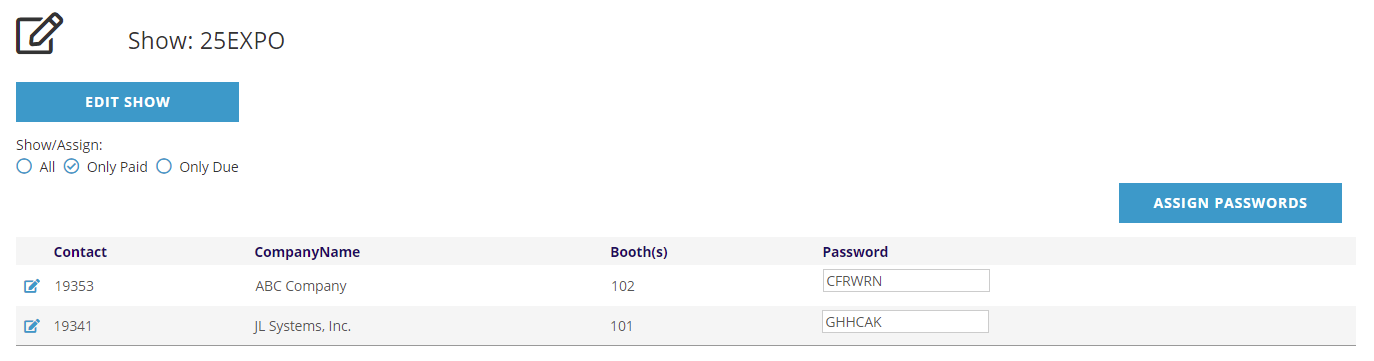
 When you access the Assign Passwords control page you will see a list of all companies that have purchased one or more booths along with their contact ID and list of purchased booths. A company with multiple booths will be listed multiple times, however the password will be the same for each so the company only has one login to manage all their booths.
If a contact has already been assigned a password it will be visible too. You can assign passwords to all companies, only companies that have paid in full, or only companies that have not paid in full. When you select the Only Paid or Only Due options, the list will change to only display those companies that fit the selected parameter.
Select the radio button for the group you wish to assign passwords to and click the Assign Passwords button. When you click the Assign Passwords button a system popup will ask, This will assign passwords to (All/all PAID/all UNPAID) booths, are you sure you wish to proceed? When you click on the OK button you will see that any company that was missing a password has now been assigned a 6 character alpha password. To login to the exhibitor portal, a representative would use the assigned primary booth number and this password.
For reference, this creates a List Code on the Company's Profile with the password under Meeting Data.