
Booth Requests is where you can see requests for booths that exhibitors have made via your website, under the main AMS Menu, Shows, Sales, Booth Requests.
At the top of the page, you must first select your Show. Then the grid will populated with your booth sales. The button below your selection will toggle between Show All and Hide Unfinished. There is page navigation for the grid, and you can sort by the column headers to find the company(s) you are interested in. If a booth has been Assigned, the number will be shown in that column.
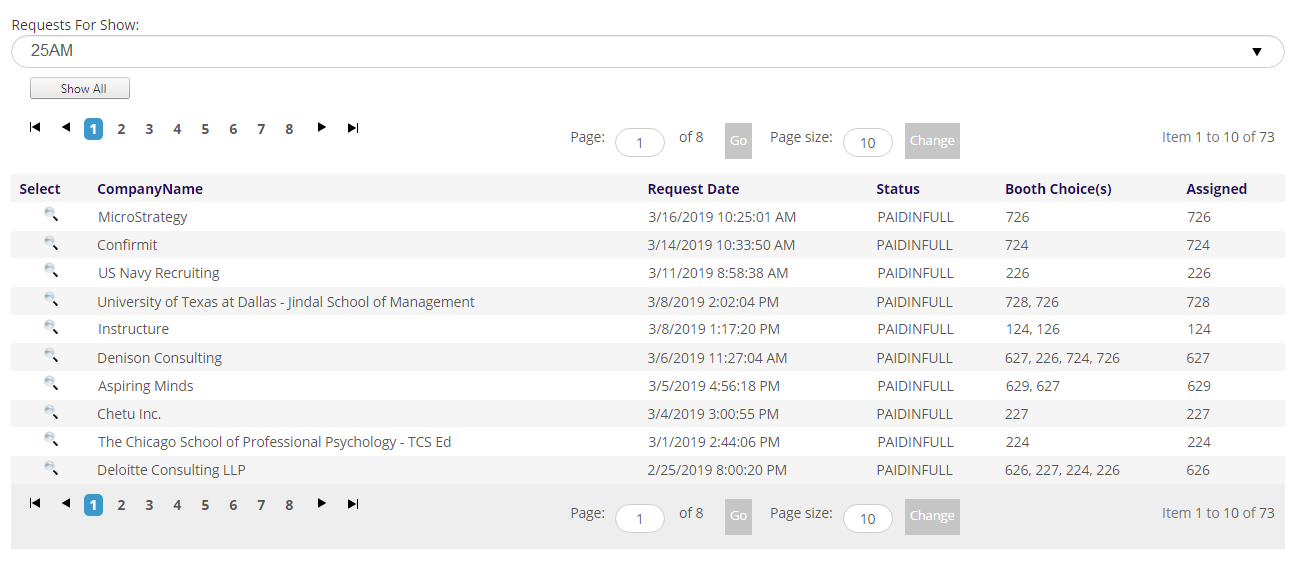
If you want to assign a booth, or update on, click on the select icon. This will open a screen where you can update booth assignment, as well as other information about the exhibitor.
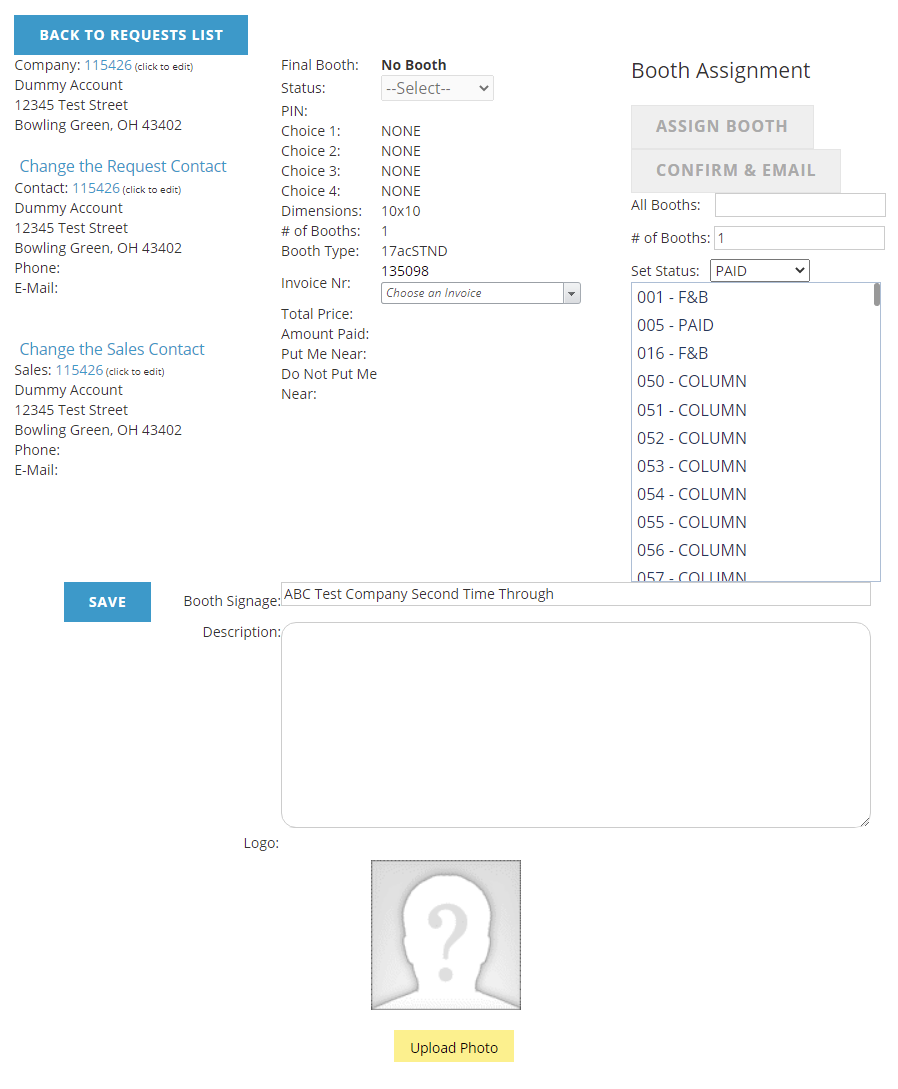
To update a booth, select the booth from the list and click the Assign Booth button. You can also send a confirmation email when a change is made using the Confirm and Email button.
There are several links on the left to change the company and contacts.
If you update the Booth Signage, Description, or Logo, click the Save button to save your changes.
To go back to the grid, click the Back to Requests List button, but remember to use the other buttons to update any changes before going back.