
The Booths tab in a meeting’s exposition/exhibit event provides a dashboard of booth sales, as seen in the next screen shot.
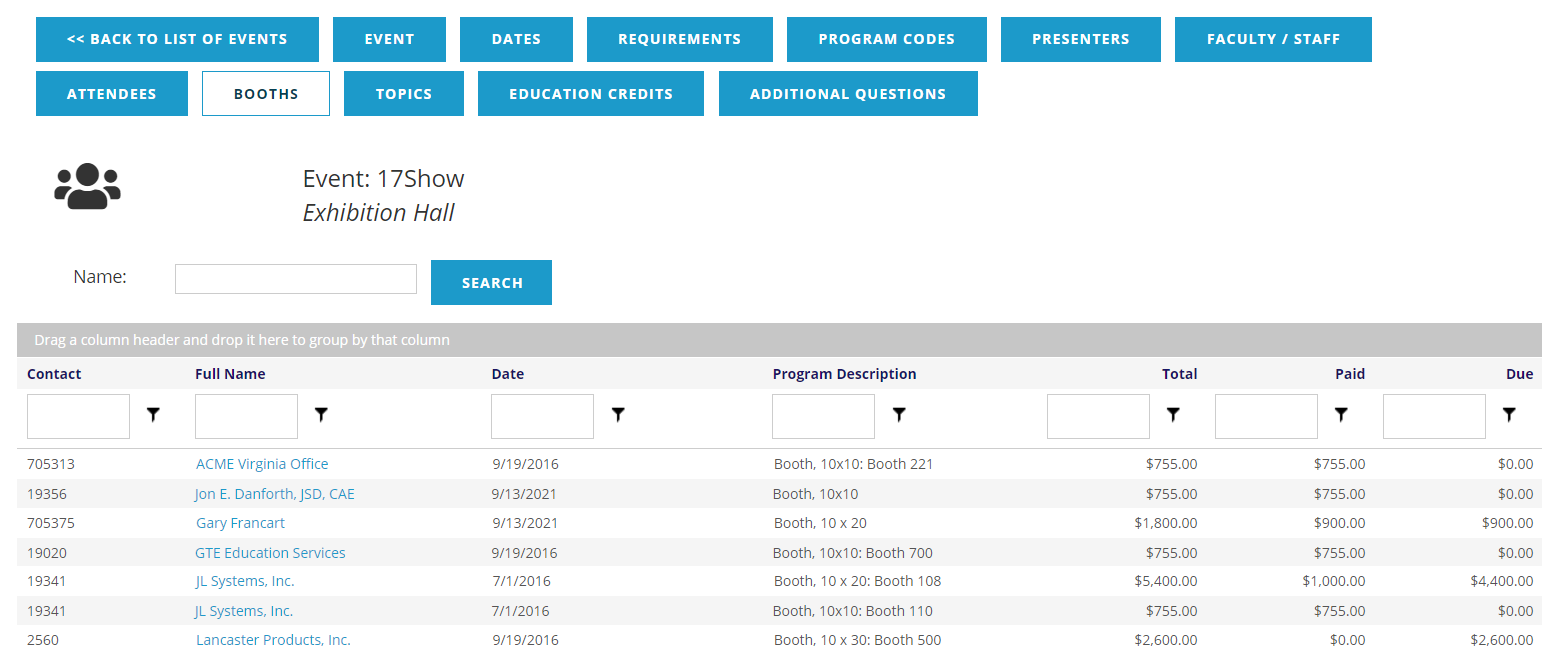
In this view, you can see each booth purchaser’s Contact ID and Full Name, which is also a link to the exhibitor’s contact record in the AMS. The next two columns display the Date that the booth purchase was processed, and the Program Description, including the booth size and. The final three columns are all dollar amounts beginning with the Total of all booth fees, followed by the amounts Paid and Due.
If you have more than 20 booth purchases on file, the display will list the first 20 and allow you to page through by 20 at a time. You may alternatively change the number displayed to 10, 20 or 50 per page, and use the page numbers to move forward or backward to see the other pages of booths. These page controls appear at the bottom left of the display.

The booths are listed in alphabetical order by Full Name. But by clicking on the header of any of the columns you can change the sort criteria, initially in ascending order. You can click the heading title again to sort in descending order. In the next screen shot, the booth data seen above has been re-sorted by Date, in ascending order.
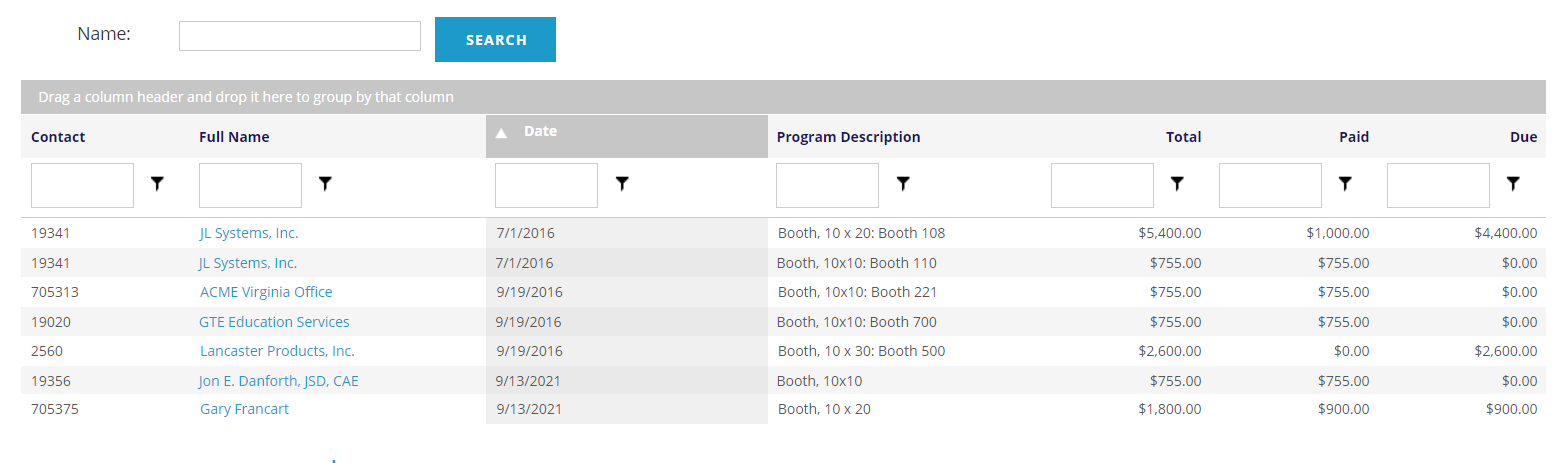
If you click on the Date header again, the data will be sorted into descending order by Date, reversing the listing. To return to the original sort order, click the same header one more time.
You can use the Search field at the top left of the Booth grid to search for a booth by Name.
Immediately below each of the column headings are white filter boxes. These allow you to further filter the results list. You may enter a value in the white text box at the top of the column and click on the  funnel icon to restrict the list to your value. For example, you can enter the value 0.00 in the white box below the Due column header, click on the funnel and select Greater Than from the drop down list. The list will then be limited to only those records with money due for booth fees.
To clear any such sort criteria and return to the full booth list, click the funnel next to the field you used and select No Filter from the drop down menu.