
If your upcoming annual meeting is very similar to a previous year, you can submit a support ticket and we can clone the previous meeting for you to use in an upcoming meeting.
We recommend you have us clone the meeting at least 2 months in advance of wanting to go live with your registration. This is to allow plenty of time for the following:
- JLS to get it on our schedule
- Time to apply your updates (as noted below)
- Time to apply any new logic or configuration (if applicable). Just because something is new, doesn’t mean we will need a developer. It might just be configuration, but we can let you know that if you have changes.
- Time to test and fix any issues you find.
When you are ready to start working on your meeting for the next year, first you will need to add the meeting to NOAH.
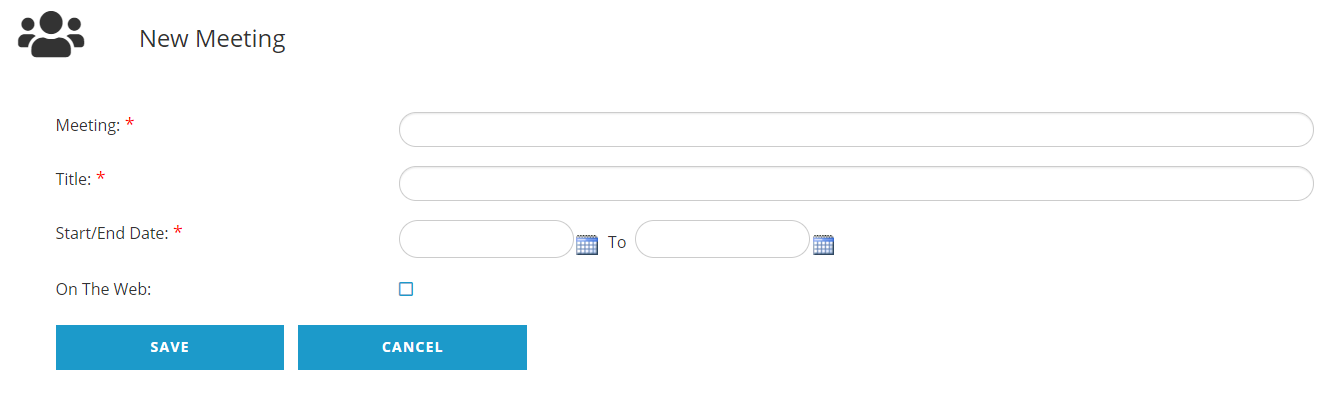
- Create the new Meeting (not the events) in NOAH
- Make sure to use the same pattern on the meeting code for the new meeting (eg. if 21AC, then add 22AC, just changing the year).
- Add the Start Date
- Add the End Date
- Check On The Web at the time you add the meeting. Don’t worry, the conference module won’t display it until it is updated to show it.
-
Submit your request to support to copy the applicable meeting for the upcoming year. Let support know that you have already created the meeting code for the applicable year and the meeting code you want us to clone into it.
NOTE: We highly recommend that you ask JLS to retire the program codes for the previous year after the copy function is done.
If you know that something in your meeting has changed from the previous year (we are not referring to fees or descriptions), let us know so we can provide guidance on what should be updated once the meeting has been copied.
Once the meeting is copied, you should
- Update fees and descriptions for both Event descriptions and Program Code descriptions.
- Update the web page where the Conference Module was previously to point to the new meeting. Unless new subtypes where added or any were removed, then you may not need to update anything else except maybe tweak your text for the terms & conditions.
- Test, test, test.
For reference, the cloning searches for items for the given meeting (anything directly linked to the previous meeting) and has a prepended pattern for the given year (eg. 21AC), and copy and change that part of the pattern to the applicable year (eg. 22AC). The cloning can include
- Events
- Questions and Responses
- Program Codes
- Promotion Codes
- Kits and Bundles
- Show Floorplans and Booths
Then all you have to do is update things like dates, descriptions, and fees.
We will first do this in your QA AMS so you can validate it's what you wanted, and once you approve it we will do the same in your Live database.
The estimate for us copy a meeting is typically half an hour.