
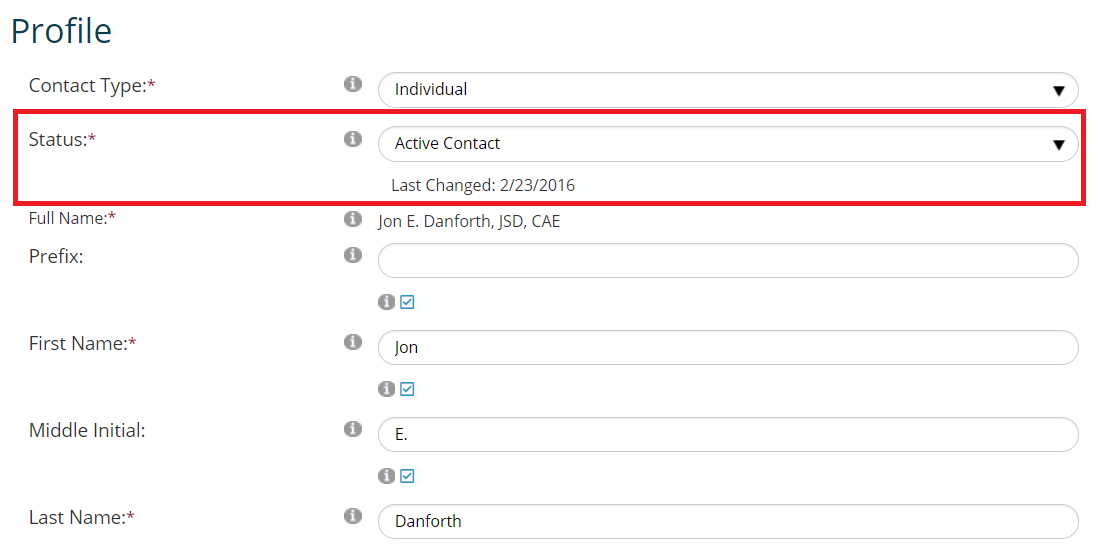
Contact Status exists on every contact record, and refers to the status of the record itself in your database. It does not refer to any other status, such as membership status or certification status. It is displayed in the Contact Status box of a contact record’s Summary screen, and an example for an Individual contact is in the next screen shot. The date the status was last changed is also displayed.
The Contact Status Dictionary is a flat table, and common MasterCodes for this STATUS GroupType are seen in the next screen shot.
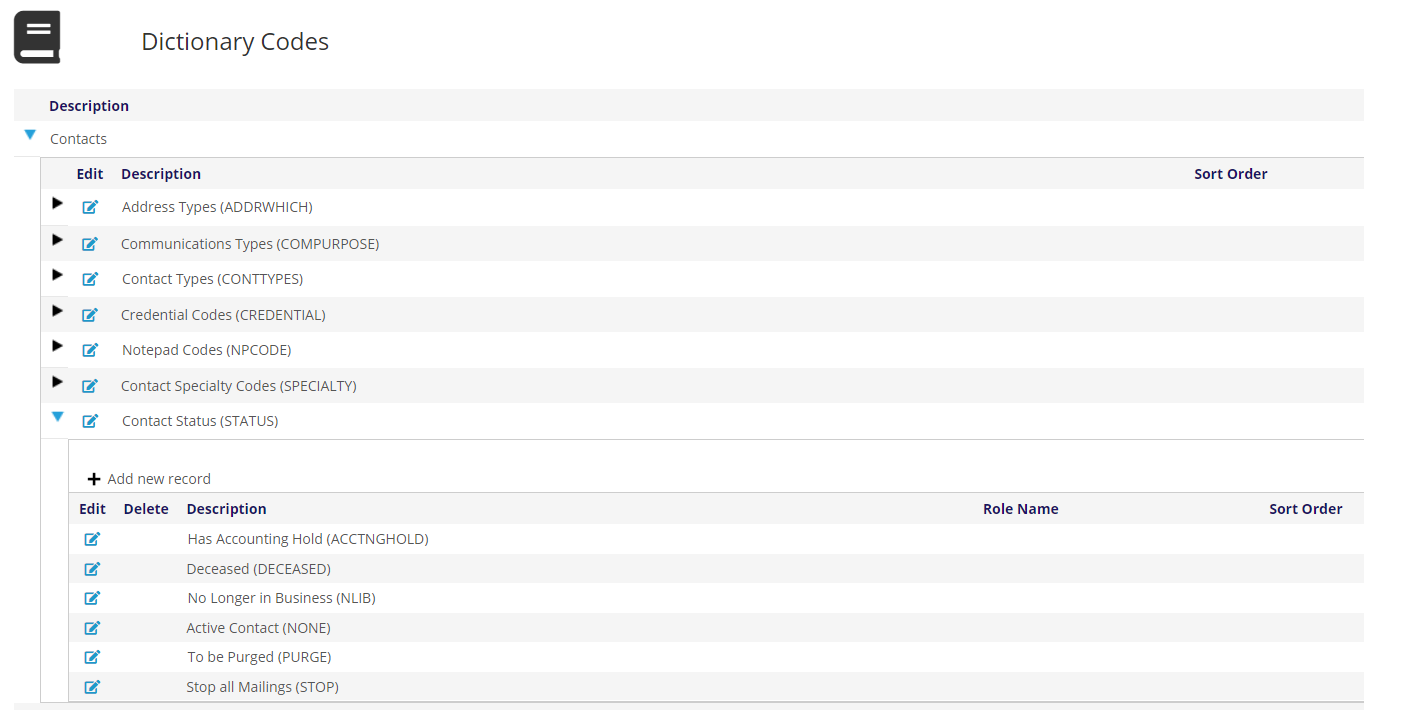
The DECEASED status is used on Individual contact records. It is very important to note that the DECEASED status does not expire any active membership within the same record. Expiring the membership requires manually editing the membership folder.
NONE indicates a valid record without any status issues or alerts. Since every contact record must have a status, NONE exists for those with none of the issues covered by the other Contact Statuses.
The PURGE status, is used to mark a contact record for deletion from your database. Records with the PURGE status get hidden from view but do NOT get automatically hidden from blast/bulk emails in the Reporter. When running a Reporter library card for blast/bulk email, you have to remove the contacts with records marked as PURGE.
Once you have several hundred or more records with PURGE status, you can request to have those records deleted from your database. JL Systems' staff are the only ones who have the authority to delete PURGE records at present. To have these deleted, please open a support ticket with the request. JL Systems will do this once a year without charge; more frequent requests may be billable.
The STOP status prevents the contact from being included in a mailing label routine for which a record might otherwise qualify based on other selection criteria. If an address is bad, rather than changing the contact’s status, edit the address itself and put it on hold. When staff or the contact later update the address it is automatically taken off of hold. Only use the contact status of STOP when you want to block all mailings to all addresses for the contact.
Other statuses can be added as needed.