
Select the Dictionary from the Repository Section. 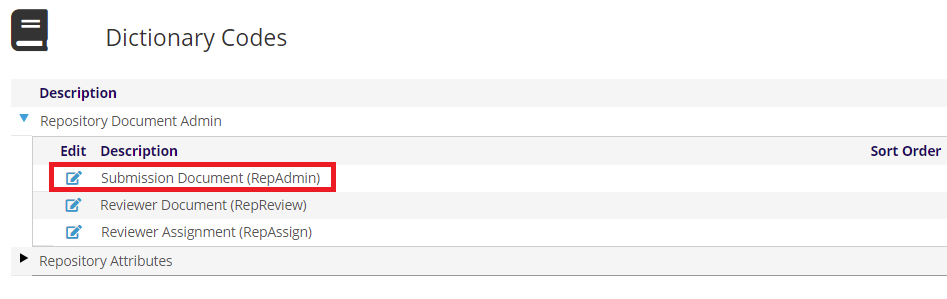
The Repository Document Admin is where you will create your forms and the Repository Attributes section is where you will define attributes to be used in answering the proposed form questions.
Expand the Repository Document Admin area to show you can create Submission Documents, Reviewer Documents, and view reviewer assignments.
Click on the  edit icon next to view a list of current Submission Document (RepAdmin).
Click on + Add new record to add a new submission document. If you are creating a similar document as was used previously, you can use the clone icon to make a copy of an existing document.
A Repository document has three parts. The first part consists of the Document Type and Document Type Description. Document Type is actually the Name of the document and can be up to ten characters in length. This document name is specifically referred to in the MDOC instruction of the Presenter Center Status Dictionary settings. The Document Type Description should consist of a more descriptive identity for the form.
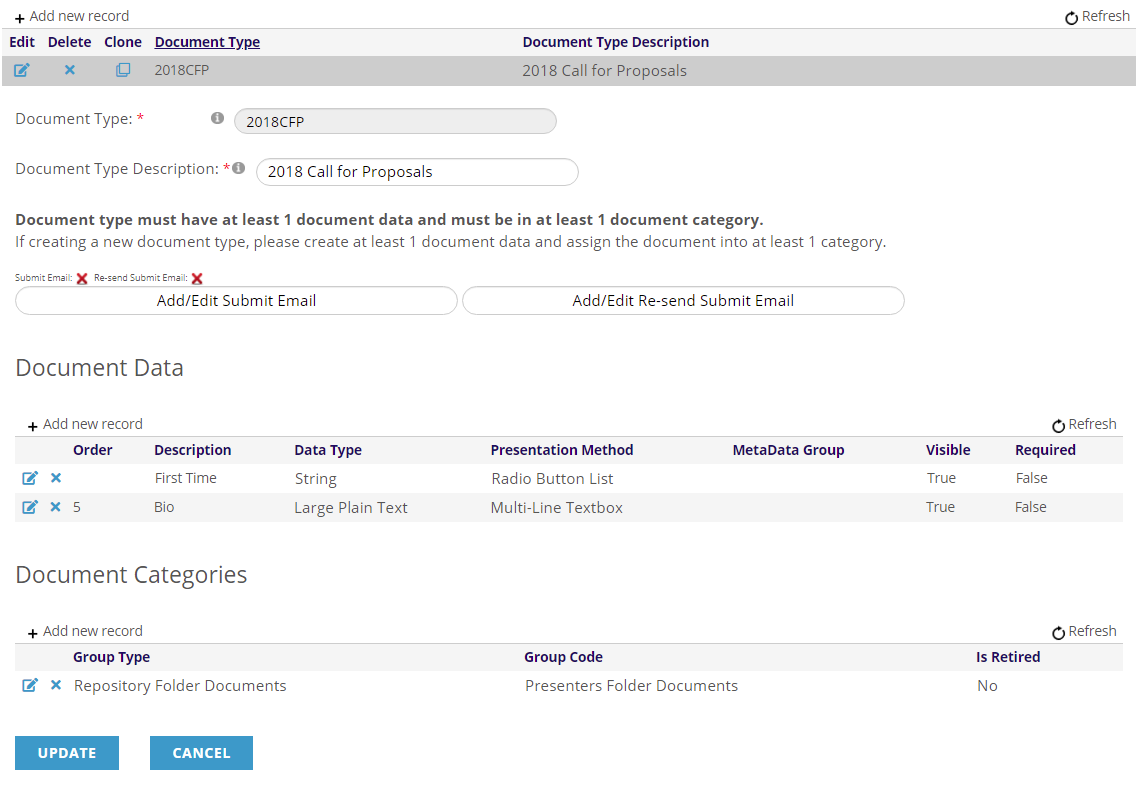
The second part is called Document Data and is made up of the questions that will be asked in the form. There must be at least one item of Document Data (Question).
The third part is called Document Categories and is used to define requirements for uploading files.
Each question requires many pieces of information to determine what kind of information is being asked for, how it is to be requested, how it will be displayed on the page and who can answer it. For more information, please refer to the Repository section of this knowledge base.