
Credential Codes are optional and only apply to Individual contact records when used. Some associations choose to have only their staff control the selection and designation of credential codes in contact records in the AMS, while others allow the contacts themselves to select them. Credential Codes can be added and edited in the AMS in an Individual contact record’s Name or Profile tab, as seen in the next screen shot for the latter option. 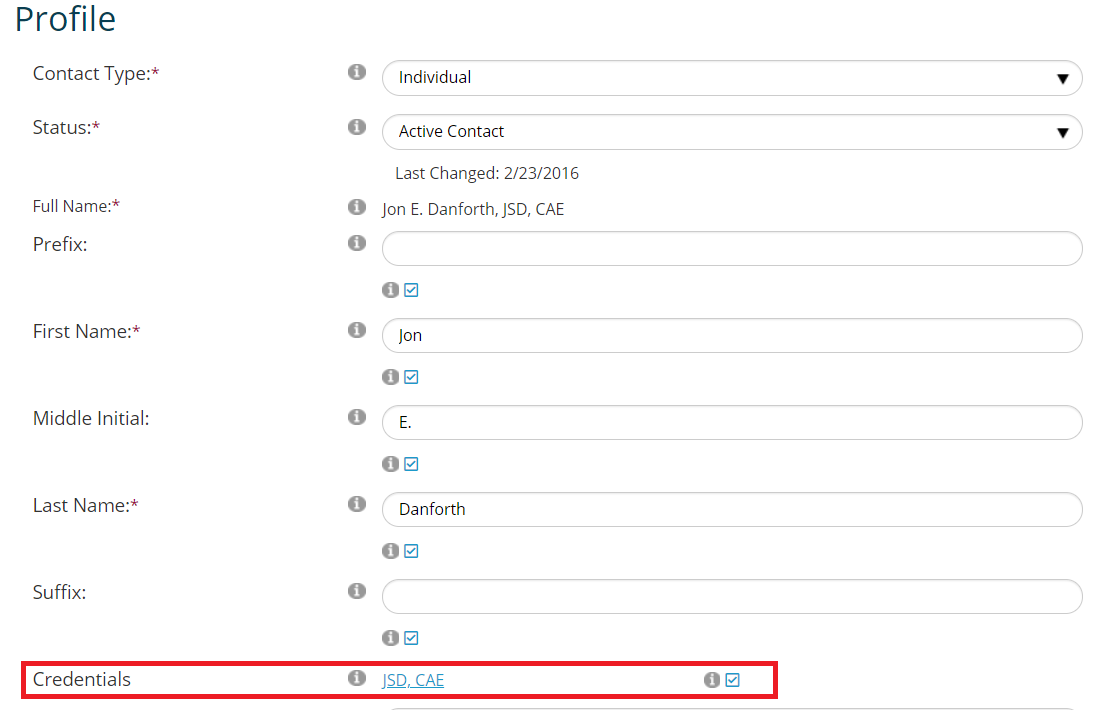
The blue “JSD, CAE” is a Credential Code, and is a clickable link to edit it or add another credential. If the check box seen above next to the Credentials field is selected, the Credential Codes will display anywhere the contact’s full name appears. The next screen shot shows the result of the entry above in the Name and Address box for the same sample contact record’s Summary screen.
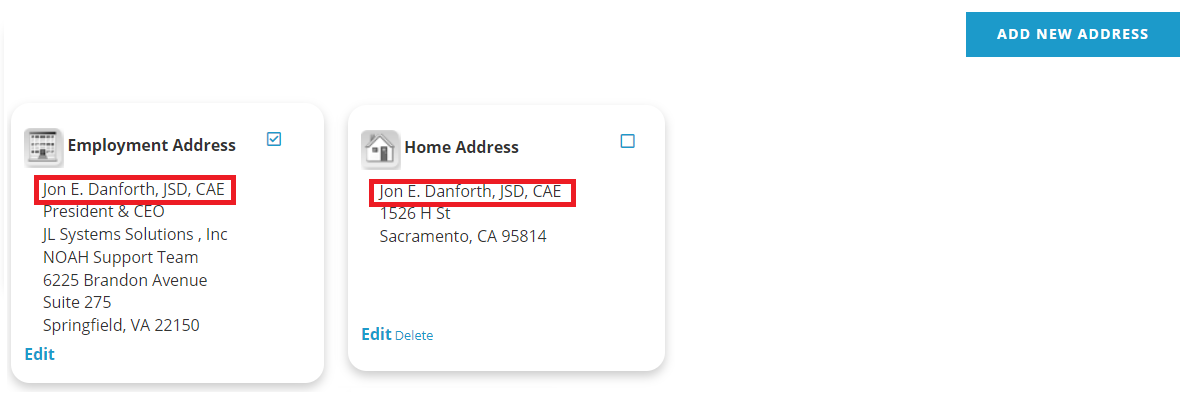
NOTE: If credentials are added to a user's profile, they will only propagate to addresses if the name on the profile was the same as the address before the credential was added. If the address had a different name, changes will not propagate as an differences on the address would be lost.
The Credential Codes Dictionary is a flat table used when associations choose to restrict the credentials used in a person’s contact record to those in this dictionary. Some examples of common Credential Codes MasterCodes for the “CREDENTIAL” GroupType are in the next screen shot.
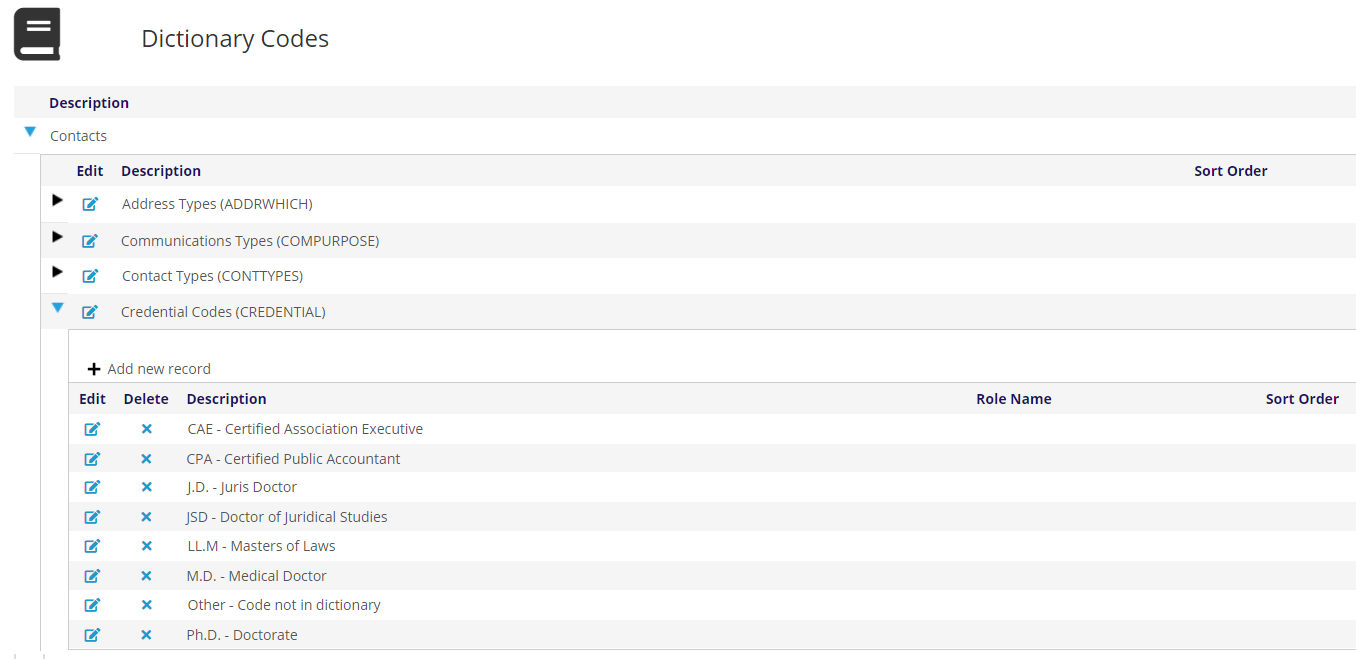
Note that unlike other MasterCodes, the Credential Codes are not displayed here in parentheses following their Descriptions. For the “CREDENTIAL” GroupType, each MasterCode displays in this grid with the code first, exactly as it would appear after a contact’s name in the AMS and elsewhere, followed by its Description. Therefore if the credential itself includes punctuation or particular use of upper and lower case letters, as seen above for “M.D.” and “Ph.D”, that punctuation must be included in the code. The Description still appears in the drop down menu in the AMS when these codes are being added or edited, but it does not appear with the code in the contact’s full name field.
The Instructions field for Credential Codes is used to define the order in which these Codes should display after an Individual contact’s name when the record includes more than one of them. For example, using the examples in the screen shot above, an Individual contact could be coded for both an M.D. and a CAE. The credential with the lower number in the Instruction field will appear first, followed by any others in increasing numerical order. For this reason, the same number should not be entered for more than one Instruction across all Credential Codes. If, for example your association chooses to have CAE always appear ahead of any of the other Credential Codes, the Instructions at the MasterCode level would be set to 1, as seen in the next screen shot. The Sort Order field is used to change the order of the Credential Codes in the dropd own, not the order in which they appear after a person’s name.
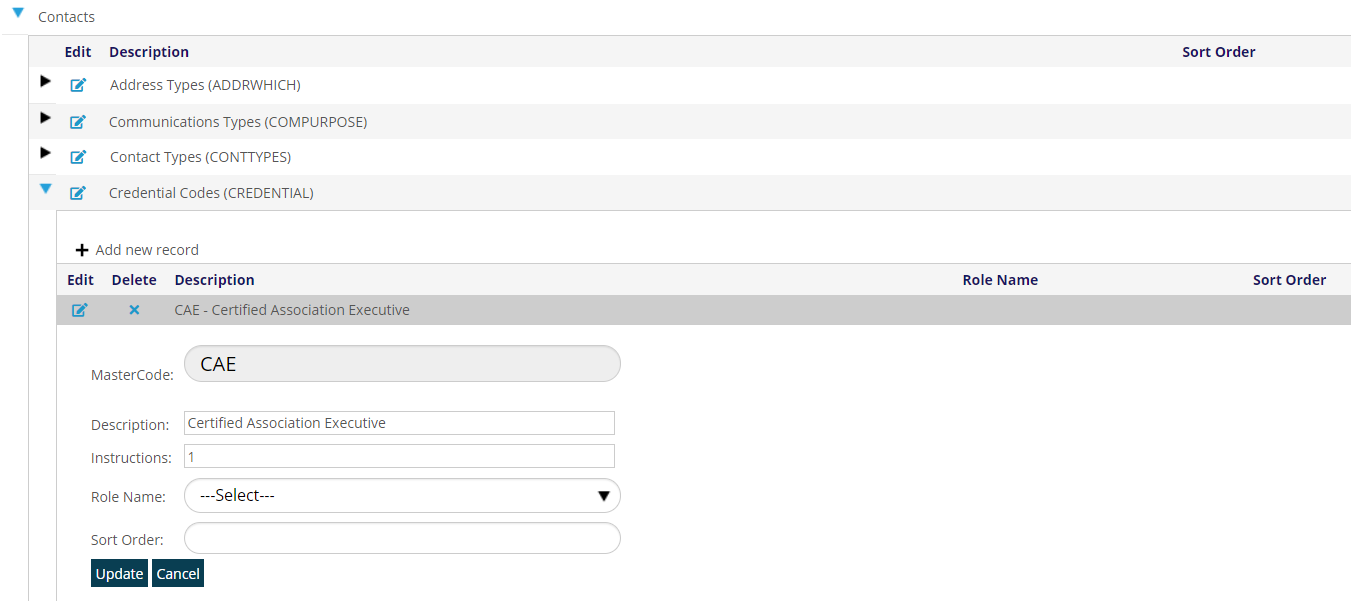
A change to the Instructions for the ordering of any of these Credential Codes does not update any data already in the AMS, and is only used the next time a person’s profile is updated.
NOTE: if you do not want have a fixed set of credentials to choose from, in the Page Layouts for Name, you would hide the Credentials field, which is tied to the Dictionary, and use the tb_Credentials, which uses a text box to collect any credentials typed in.