
The Download tab for presentation submissions is used to provide both documents for submitters to download, such as speaker release forms and rules and guidelines, and a place for submitters to upload documents that may be part of the submission process. This may include signed speaker release forms and presentations documents such as PowerPoint or PDF files. This tab is often renamed Resources. As with the other Tab names on the presenter center forms it can be customized but is not event specific.
The first step is to upload the related document(s) to a directory on your website using File Management. Best practice is to create a specific directory under your Docs folder, such as PresenterCenter documents. You may want to further add directories for each year. When you upload the file. Be sure to get and copy the URL. You will need the portion beginning with /Portals.
Start by expanding the Presenter Center Downloadable Forms (PCDLFORMS) sub-section. 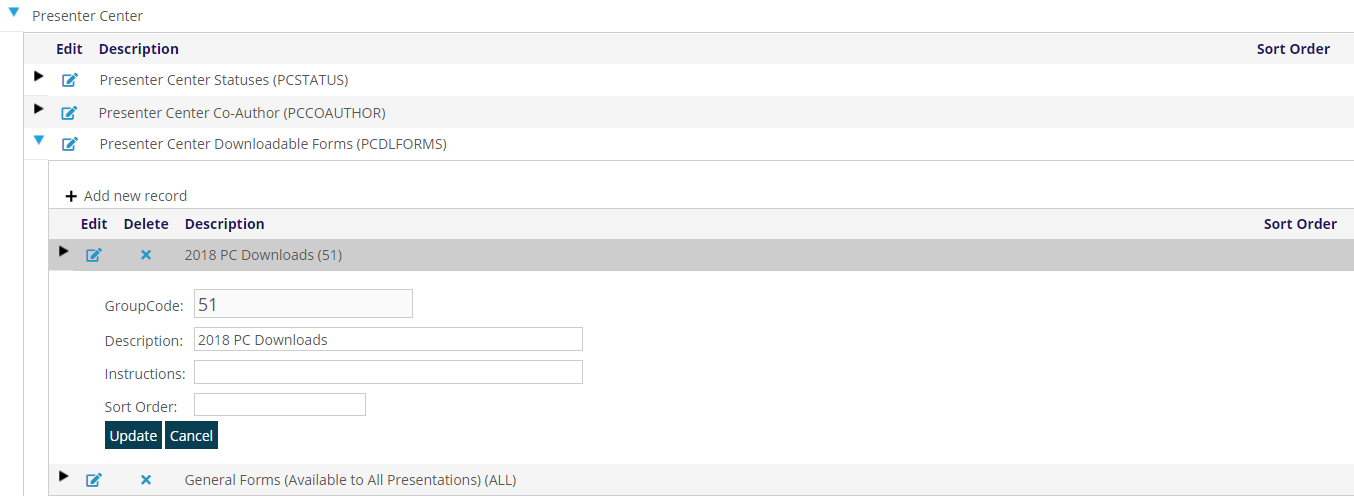
You have a choice of making the download available for all submissions or for a specific submission event.
For a specific presentation submission event, you first have to create the group code using the Event ID. Click on + Add New record. For the GroupCode, enter the Event ID of Presenter Center event for this meeting. (51) The Description should be a brief description of the Presenter Center event. (2018 PC Downloads). There are no Instructions at this level and the sort order is optional. Save.
Now we can start adding files.
Add a new record. Click on + Add New record.
For the MasterCode, enter a set of characters (up to ten) that describe the download. (Example: 18RELEASE).
The Description should describe the download file (Example: 2018 PC Release Form), and will be the text of the hyperlink to the document for presenters to download.
Instructions are one or more 4 letter codes followed by an “=” and an appropriate value. They can never contain any spaces.
Presenter Center Downloadable Forms (PCDLFORMS) Instructions include:
URL=XXXXXXXX where XXXXXXXX is the portal path to the file that you uploaded to your website for download by the submitter. (Example: URL=/portals/1/docs/18release-form.pdf). You don’t need to enter your website’s domain name.
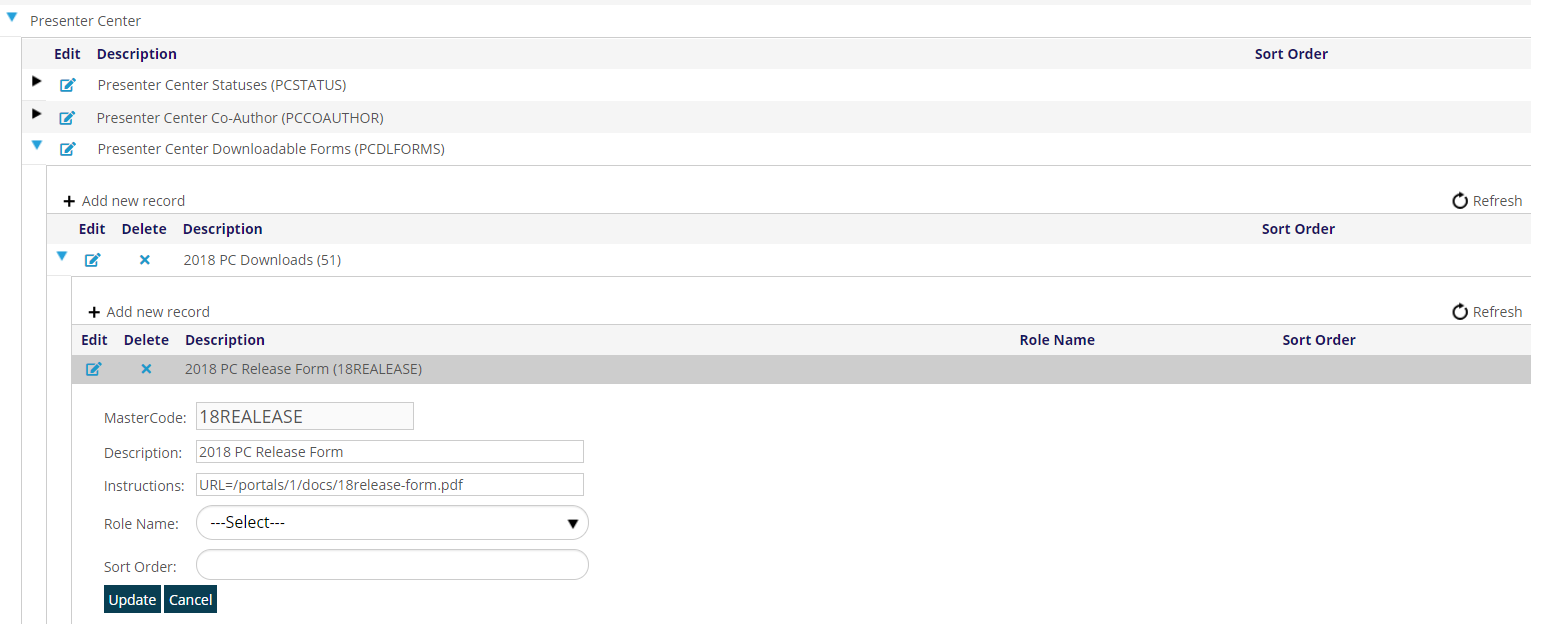
To include the documents for any submission, not a specific event, add documents under General Forms (Available to All Presentations) (ALL) in the same fashion.