
With many staff and members adding and updating data in your database, there is opportunity for duplicate contacts, memberships, program codes, and other data issues. To help combat this, we have made some exports to help you find these issues. You will want to run these reports periodically, perhaps monthly, to keep your data clean.
They can be found under the AMS Menu, under Contacts, Edit Checks, which opens the NOAH Database Utilities screen.
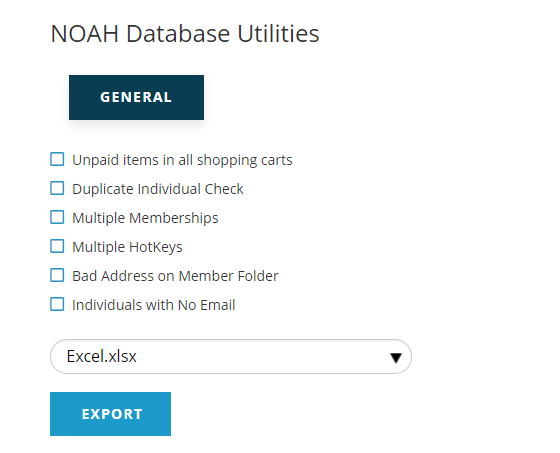
NOTE: Your organization may have other exports here, per request.
Here you can use the check boxes next to each report to select which report you want to run, and choose the file format. The format will general stay with Excel.xlsx, unless you can't open that type of file. When you have the reports and format selected, click on Export to run the reports (they will each run individually). Click on the Reports button at the top right of the screen to see your Exports.

This will open the Reports & Exports page to show all of the reports you've run.
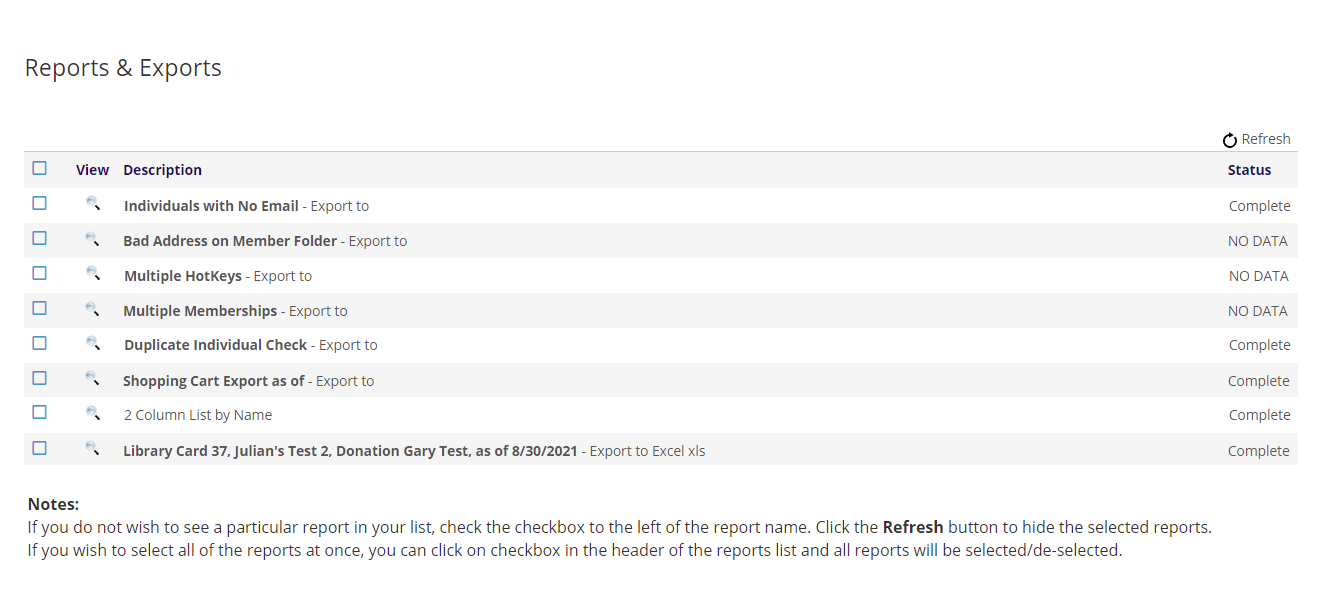
The available exports are described below:
Unpaid items in all shopping carts
Shows unpaid items in both the AMS Cart (staff created) and Online Cart (contact created). The export includes which cart, date created, bill to and ship to contacts, item description, quantity and actual price.
Duplicate Individual Check
This report looks at the contacts in your database to find those with the same values for Name, Address, or Email. The export will show which field is matching and the name, address and email of the matching contacts. Administrators can combine duplicates using Merge Contacts.
Multiple Memberships
Shows those who have two or more Membership folder entries. A contact must only have one entry in the Membership folder.
Multiple HotKeys
This report finds duplicate non-retired HotKeys within one accounting company. Particularly useful when Program Codes are copied in bulk from one event to another and duplicates are easily created.
Bad Address on Member Folder
Looks at Member folders with an address that does not belong to the contact, linked contact or an employer/employee of the contact.
Individuals with No Email
As the name suggest, this is an export of those individuals without an email address. Having a person's email address is important these days as that's the main form of communication with members and prospects. The report includes columns for the Contact ID and Name.