
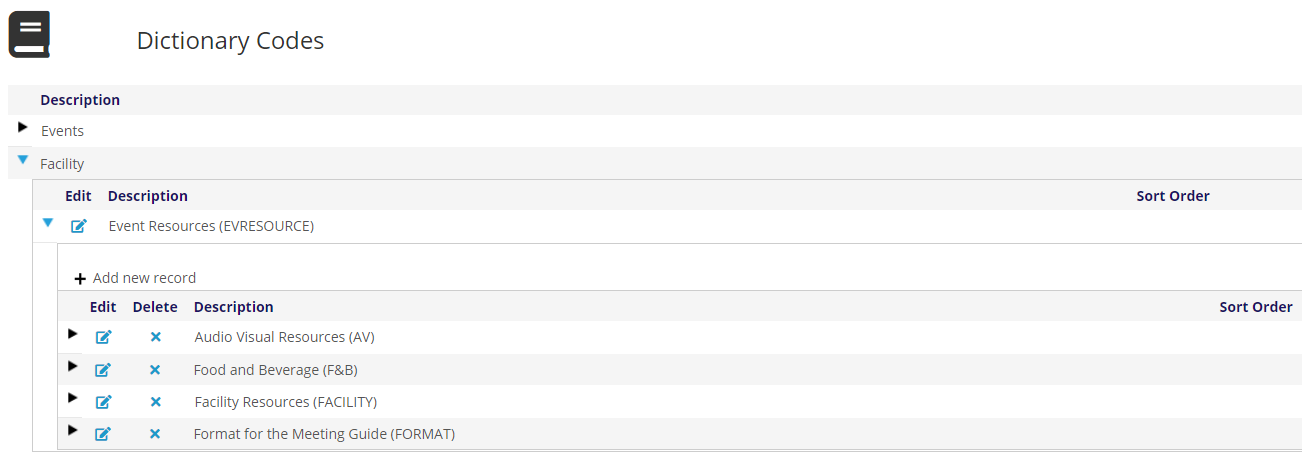
There is just one GroupType under the Facility header in the Meetings Dictionary grid, for Event Resources.
Event Resources are optionally used in the Requirements tab for those events that require specific items to be in the room to create a successful meeting or presentation. Setup requirements for a sample event are seen in the next screen shot of the Requirements tab. 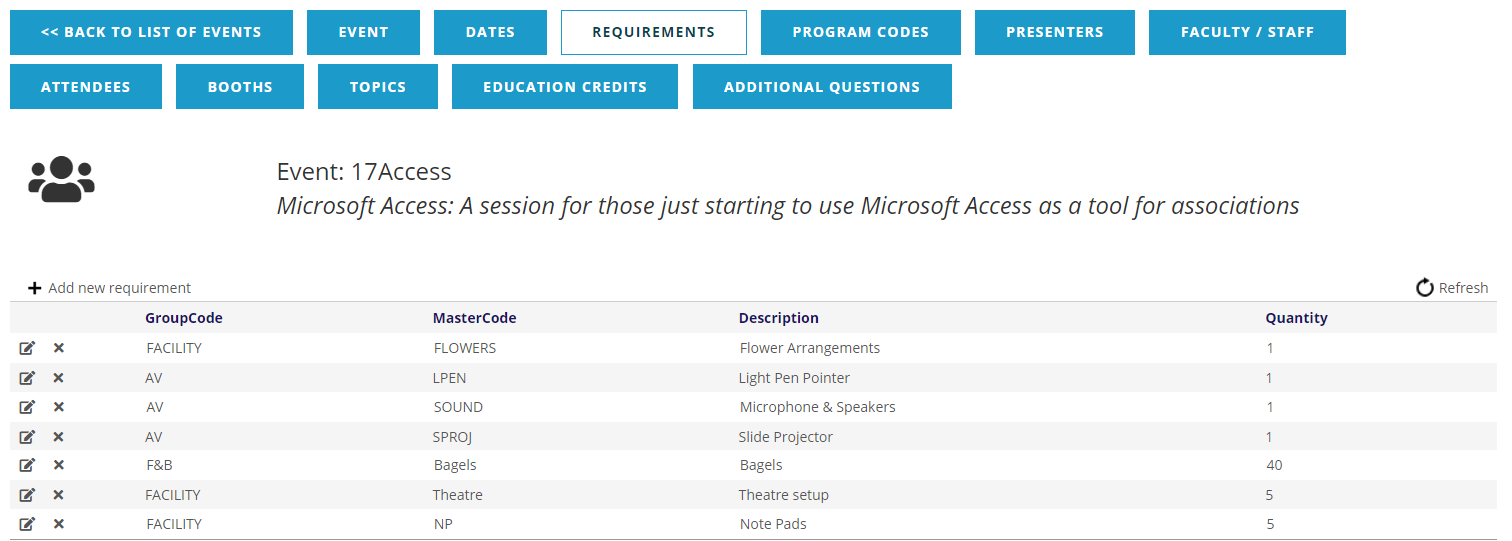
These requirements are selected and displayed according to GroupCode and MasterCode. When requirements are added or edited, the choices available are first determined by the Type field, as seen in the next screen shot of the corresponding drop down menu.
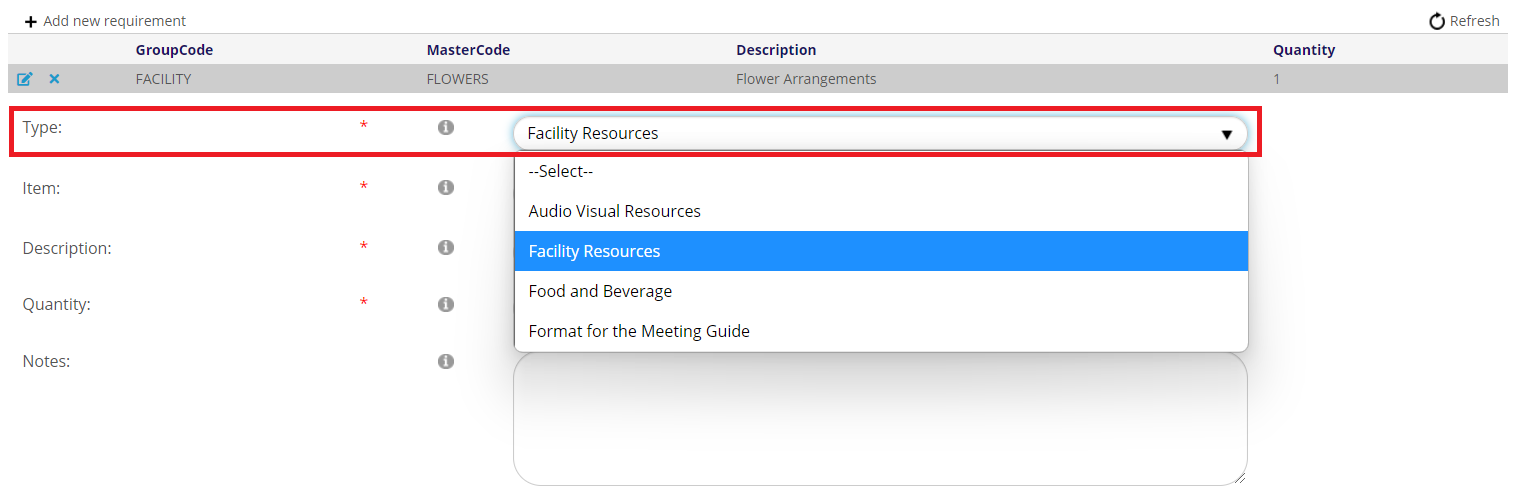
The Item drop down menu is then populated with options that correspond to the chosen Type, as seen in the next screen shot of sample Facility Resources Items.
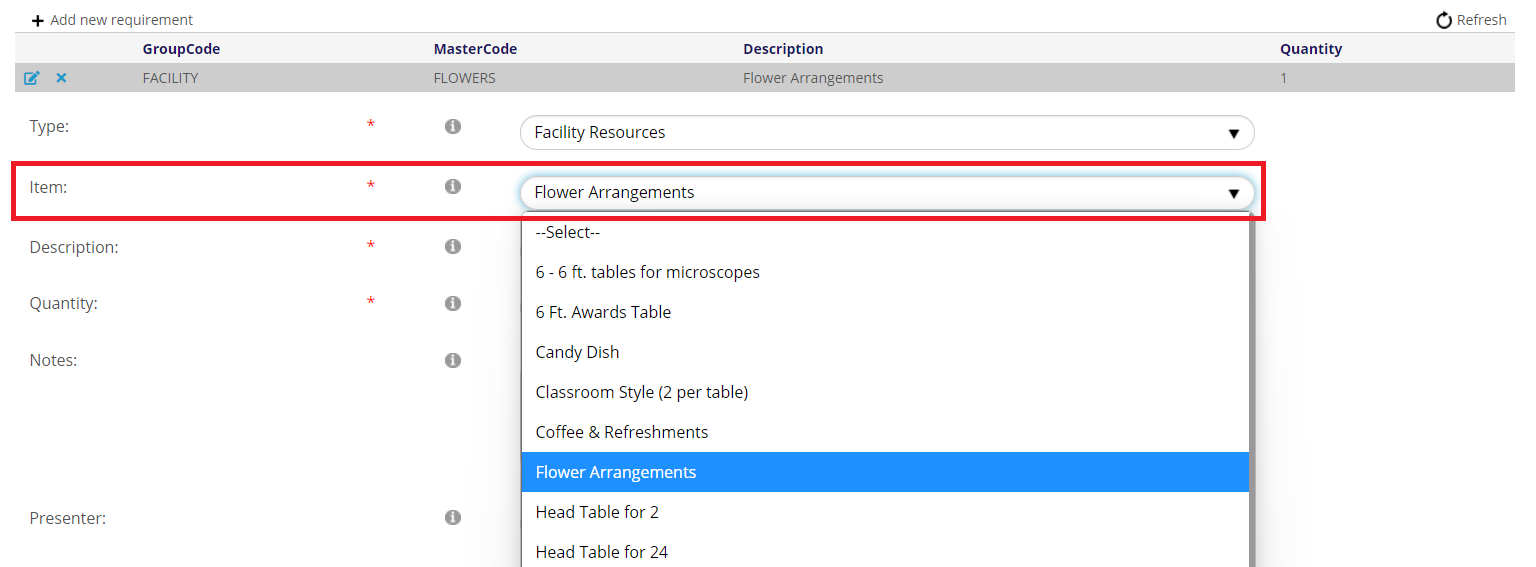
Once the Item is selected, the Description field is automatically filled based on the corresponding MasterCode’s Description.
The Event Resources Dictionary is a grouping table with GroupCodes and MasterCodes under the EVRESOURCE GroupType that populate the drop down menu choices for the Type and Item fields seen above. The GroupCodes for the GroupType EVRESOURCE that drive the choices seen in the Type drop down menu above are in the next screen shot.
The MasterCodes for the GroupCode FACILITY that drive the choices seen in the Item drop down menu are in the next screen shot.
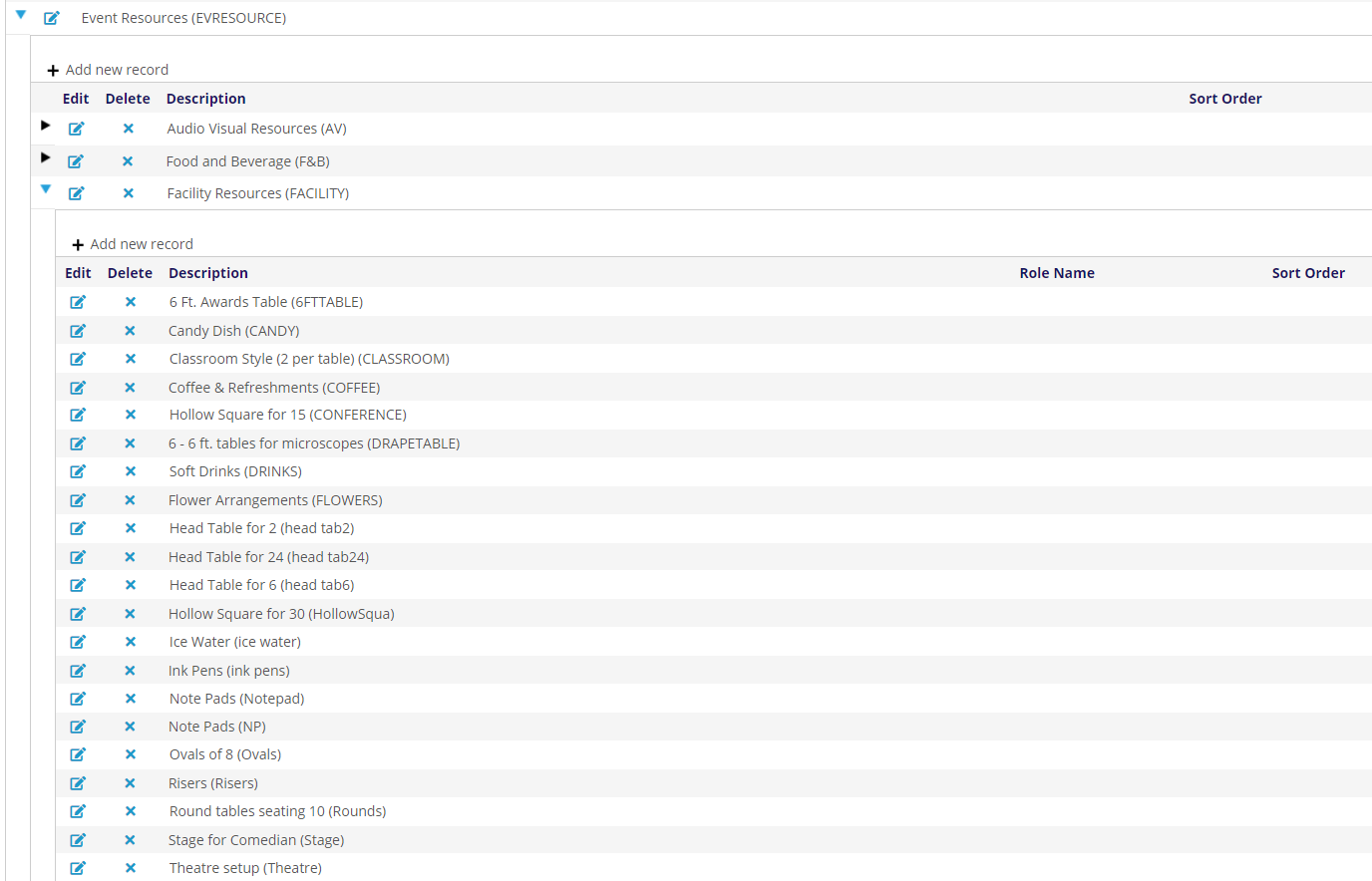
Each GroupCode can have as many MasterCodes as are needed, in accordance with the items that either your association or a host site make available for an event or presentation.
Reports can be run to generate lists of event requirements, and are covered in another chapter of this guide.
More information on the use of Requirements in the AMS is in the Requirements section under Event Tabs and Functions in the Meetings section of this knowledge base.