
 Eventpedia, powered by Avodigy, is a mobile event app designed to enhance the digital experience for attendees, members and customers. With a powerful configurable admin portal and integrations to various 3rd party systems, it is the leading mobile app provider in the association market, and the exclusive mobile app for meetings for use with the NOAH AMS.
Meetings in the AMS can be integrated with Eventpedia to include the following data sets:
- Event Information- Event title, start and end dates
- Sessions- Title, start and end dates, synopsis, type & sub type
- Speakers- Speaker name, title, company and linked sessions
- Attendees- Attendee name, title, company
- Sponsors- Company name, description, contact name & title
- Exhibitors- Company name, description, contact name & title along with booth location and info
There is no need to setup your meeting in multiple places. The meeting information, sessions, speakers, sponsors and attendees are all brought over to Eventpedia with the integration. As information is updated in the AMS, it can be refreshed in Eventpedia.
The Eventpedia mobile app also supports ads within the module for your sponsors and other uses.
In additional, the Memberpedia add-on allow for discounted pricing on multiple meetings per year and provides a year-round app for your members to link to your website to update their profile, join/renew their membership, view the member directory and more.
When setting up the standard integration, Eventpedia only needs the following:
- Endpoint Address- provided by JL Systems
- Security Key- provided by JL Systems
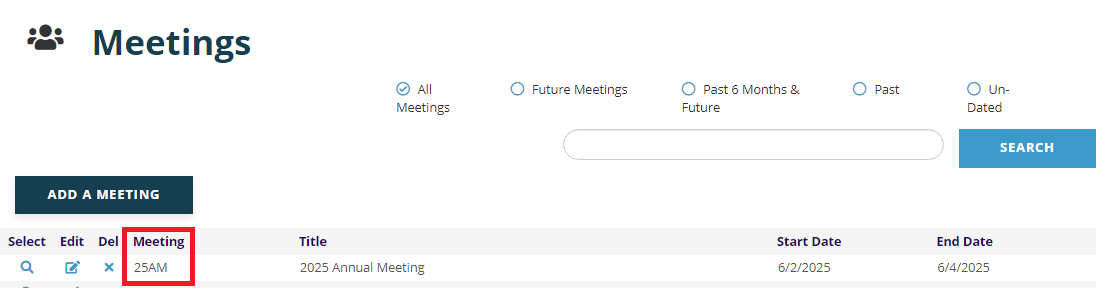
- Meeting ID- the meeting in the AMS, for example 25AM for the 2025 Annual Meeting
Below is where this information is entered in Eventpedia's MCM. You will also notice check boxes to configure what is imported and displayed in Eventpedia.
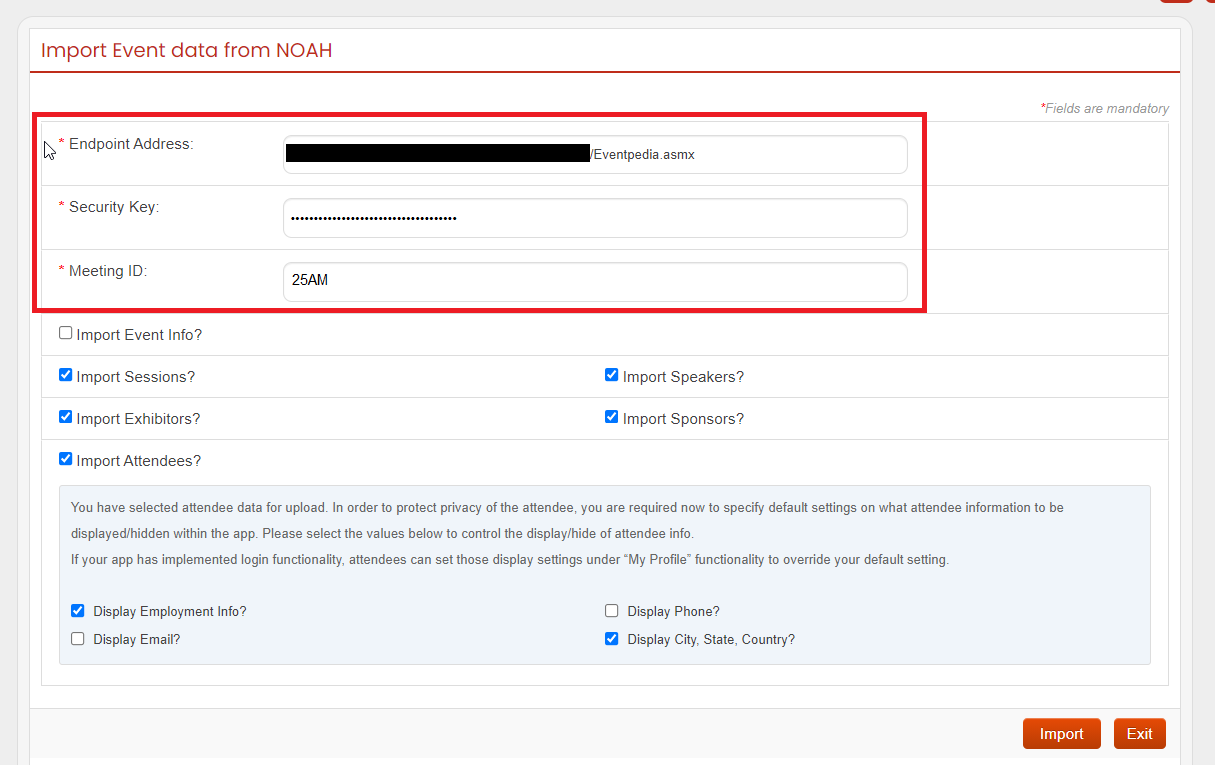
NOTE: The Endpoint Address and Security Key will be the same for all your events in Eventpedia. The only thing that will change when adding another event is the Meeting ID.
The Import button will pull in the latest data from the AMS. It will not overwrite changes you've made in the MCM. You can change the check boxes to choose what information is imported when you push the button; this will not remove any data that was already imported. For example, if you just want to update the Attendees, just check the box and click import, and this will only refresh the attendees and not remove and session data, speaker data, etc.
Setting up your integration with Eventpedia and the AMS may take a few hours of billable work, depending on what needs to be configured. Please a create a support ticket so the integration can be configured appropriately.
To see how MUSE used Eventpedia in their 2019 Annual Meeting, watch the NOAH Mobile App Webinar Recording.