
PLEASE NOTE: This is legacy functionality in NOAH that has been improved upon in the DNN Evoq CMS System. If you are not already using this specific functionality in the NOAH AMS then use the SEO functionality in DNN as described in their user documentation.
The Friendly URLs area of the NOAH System Configuration allows you to setup redirects for different URLs on your website, accessed using the Friendly URLs button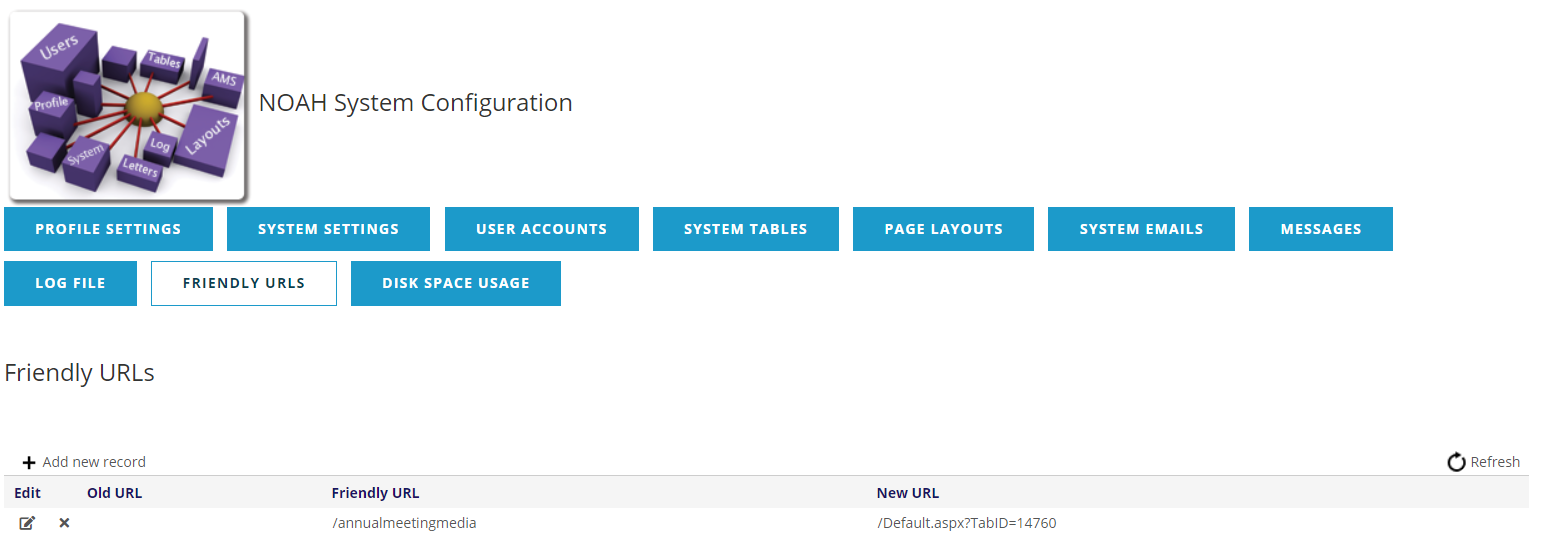
Here you will see the listing of your current Friendly URLs. You can use the +Add new record,  , or
 , to add, edit or delete URLs. Adding or Editing use a similar screen.
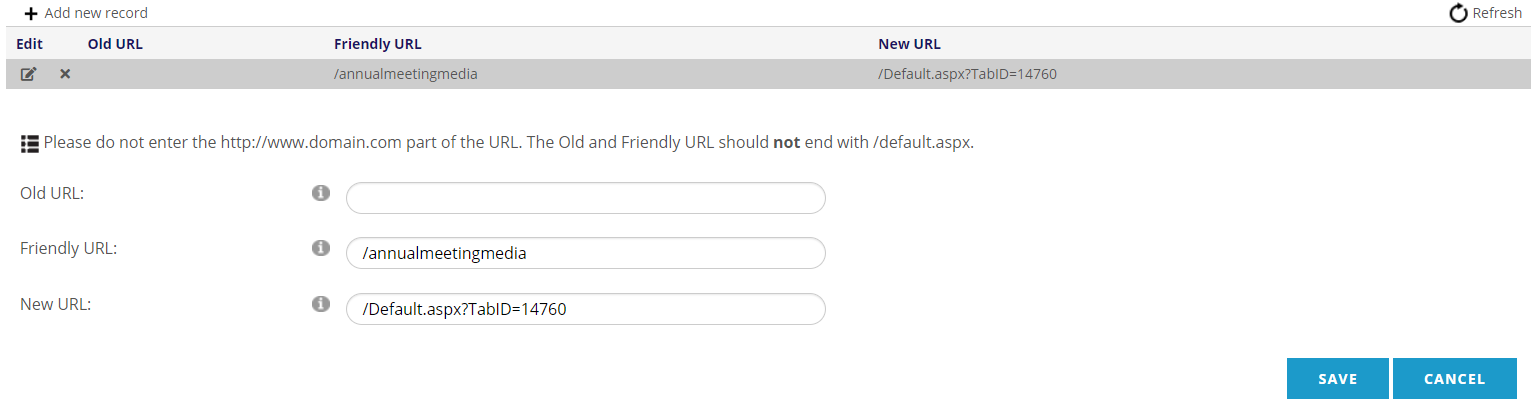
These URLs are for your DNN website, so don't enter the main domain (http://www.domain.com), just the path after that.
If you have a URL that no longer exists, and you want anyone going to that URL to be redirected to a different page, put the old page in the Old URL field, and the page to send visitors to in the New URL field.
If you have a URL that is long, or you want an easier name for visitors to enter, put the easier page name in the Friendly URL field, and the page with the more difficult URL where visitors should be directed when using the Friendly URL in the New URL field.
Click the Save button to save your Friendly URL. You can open a browser tab to test the URLs to make sure they are behaving as expected. It may take several minutes for these changes to take effect.