
Your AMS is the Accounts Receivable (AR) module and has a dictionary of account codes used when talking to the General Ledger (GL) module of the accounting system. Only the account codes normally associated with AR need be added to the AMS, not all the accounts in your GL. These include cash deposit accounts, accounts receivable, adjustment & refund accounts and deferred & earned sales accounts.
The codes we will discuss in the GL Account Master are in the Money Dictionary where the GL Chart of Accounts is stored. To open the Money Dictionary, click on the AMS Menu, Money, and then Dictionary.
Once the Dictionary page opens, click the  edit icon next to the GL Chart of Accounts (GLAccount).
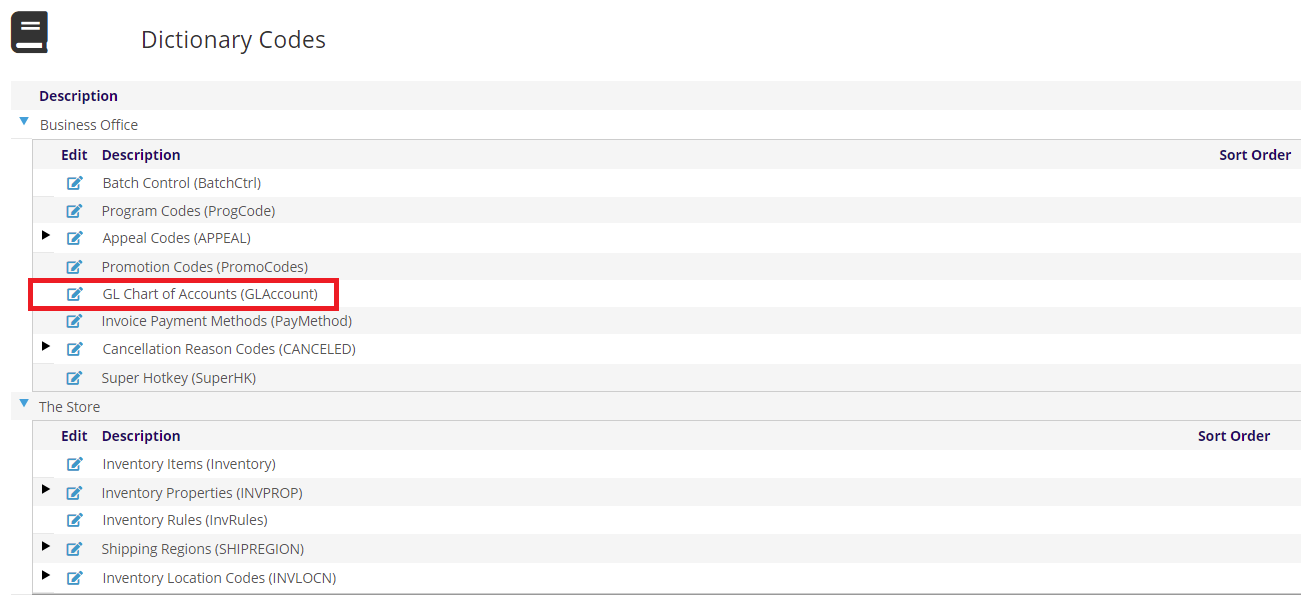
This will open GL Account Master page where you can add and edit the Account Codes used in the AMS.
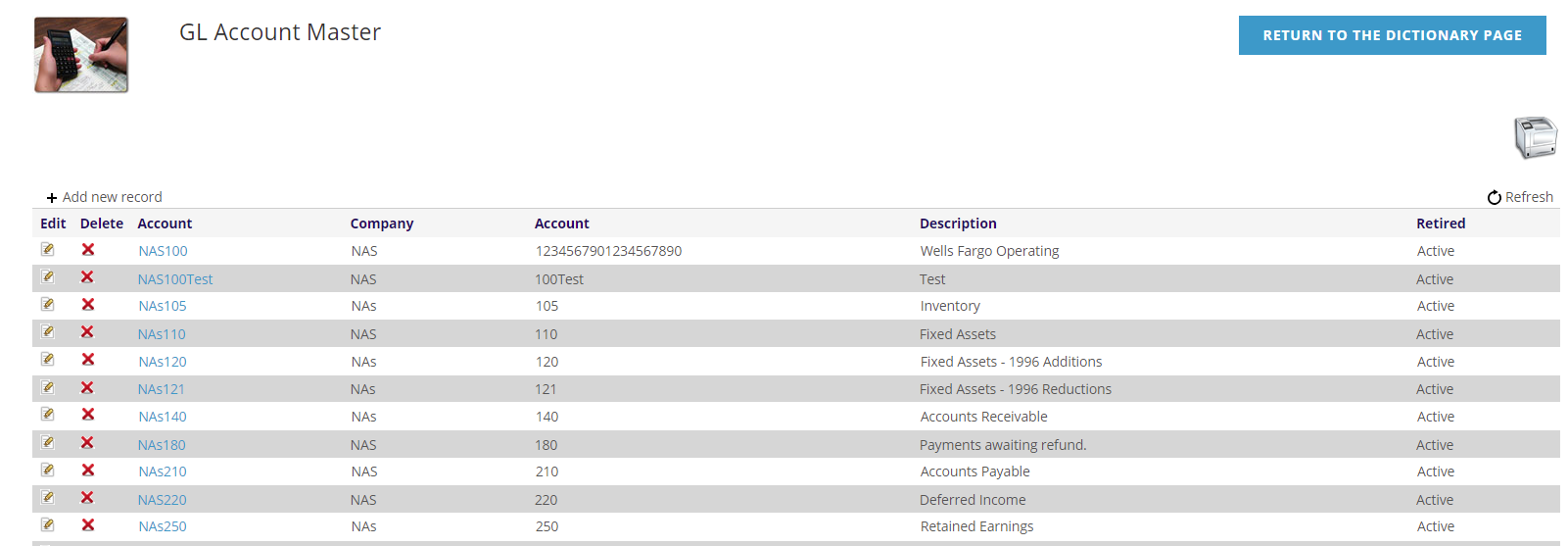
Upon entry into the GL Account Master, all accounts for all accounting companies are shown. If you are looking for a particular code, you can click on the headings of each column to have the grid sort on that column. Clicking on that heading a second time will sort in the other direction. You can also use the navigation at the bottom of the grid to move between pages of the grid.
To add another account code, click the + Add new record at the top left of the grid. To edit an existing account code, click the  edit icon on the left side of the grid next to the account you want to edit. Either adding or editing will open similar area about the account code.
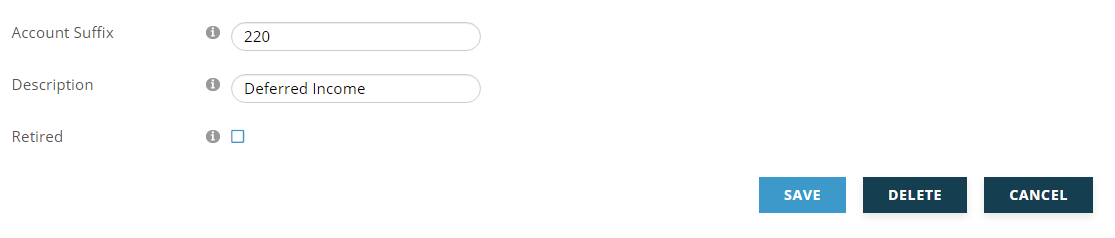
The Account Code will be a combination of the Accounting Company (determined by the accounting company selected at the top of the screen) and the Account Suffix that you enter. Account Suffix is the only required field and can be up to 25 characters long.
The Description is some text you can enter to describe what this account is to be used for and can be up to 100 characters long. Descriptions are important so that when staff are selecting accounting codes when creating Program Codes that money will be applied to, it will be obvious which account they should select.
Generally, Accounting Codes are not deleted. Instead they are Retired using the check box. If an Accounting Code has not been used, it can be deleted using the Delete button or the  delete icon in the grid. When an Accounting Code is retired, all active uses of this code in the system should be updated to a non-retired Accounting Code.
Click Save to save your changes, or Cancel when you are done.
The  printer icon opens the General Ledger Accounts Reports page where you can print reports on your accounting codes.