
Google Analytics is a web analytics service offered by Google that tracks and reports on web site traffic. DNN Evoq has built-in functionality to add this to your web site.
When logged into your web site as an Administrator, in the black Persona Bar Menu on the left, under Settings (the gear icon), choose Connectors.
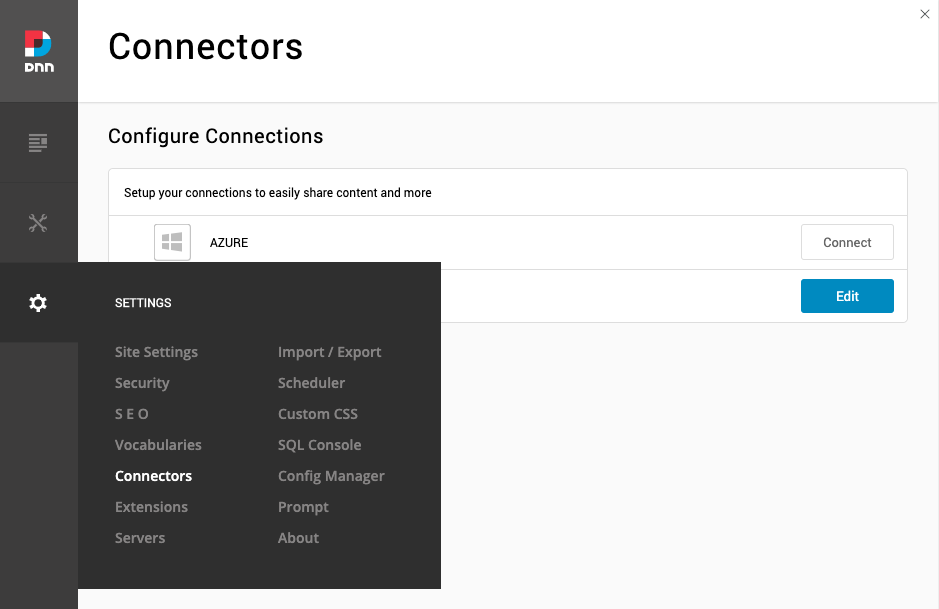
You will see Google Analytics and a Connect button if you haven't configured this yet. (If it's already configured, you will see an Edit button). Click the Connect (or Edit) button and the interface will slide down.
- Input your Tracking ID; it will probably look something like UA-XXXXX-Y
- Leave the URL Parameter field blank
- Uncheck Track for Administrators so the tracking code won't be included if you're logged in as a SuperUser or Administrator
- Click Save
Once it saves, you can close the Connectors panel. You will want to verify the code is working in your Google Analytics dashboard.
There is also a Google Tag Manager, which can provide more in-depth analytics and tracking. We can set this up as a customization. Please contact support if this is something you are interested in.