
Each dictionary is displayed under the main menu for the related item, as seen in the next screen shot for the Contacts Dictionary. 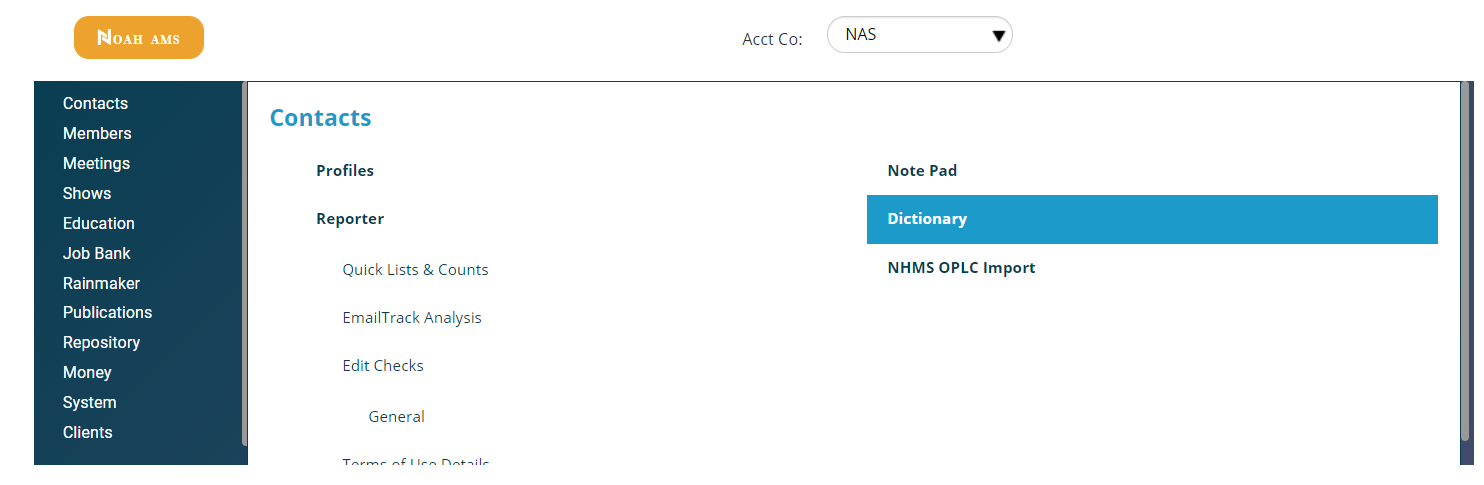
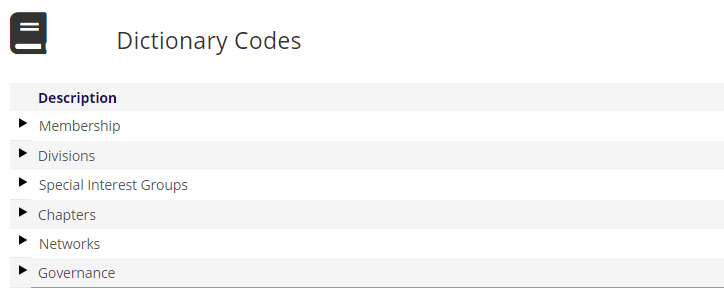
To view the GroupTypes under a heading, click on the black arrow to the left of its description in the grid. This first level of grid expansion for the Membership heading is in the next screen shot.
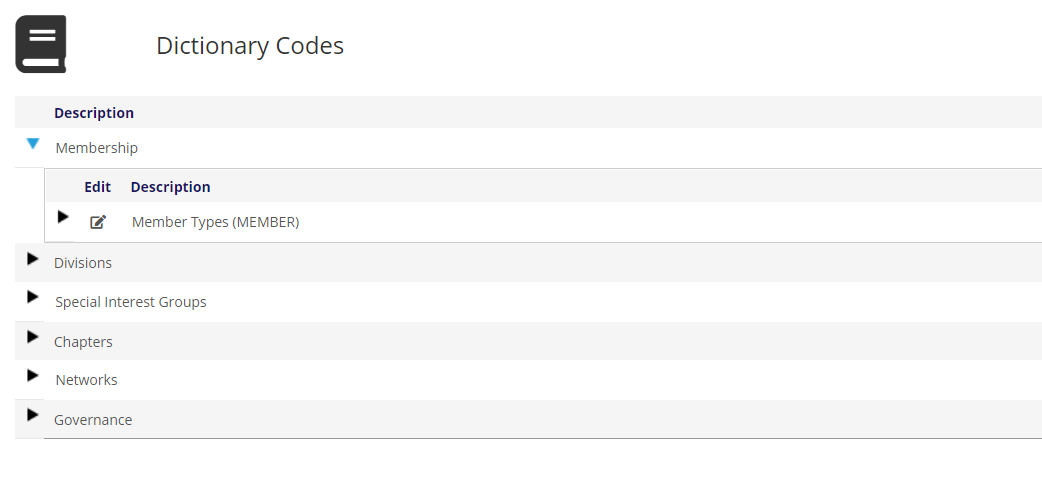
To view the cascading hierarchy for a GroupType, click on the black arrow to the left of its description in the grid. The result of this action for the Member Types GroupType is seen as an example in the next screen shot, but all of the Dictionary grids are set up in this manner.
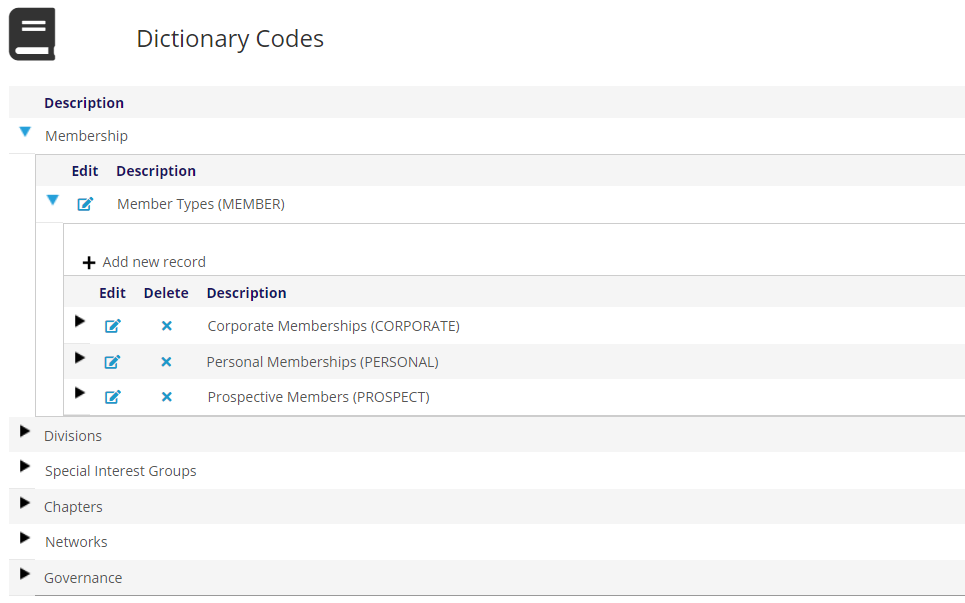
The GroupCodes for Member Types are now displayed in the expanded grid with the Description column containing each GroupCode’s description followed by the code itself in parentheses. In our example the GroupCodes are Corporate and Personal Memberships, and Prospective Members.
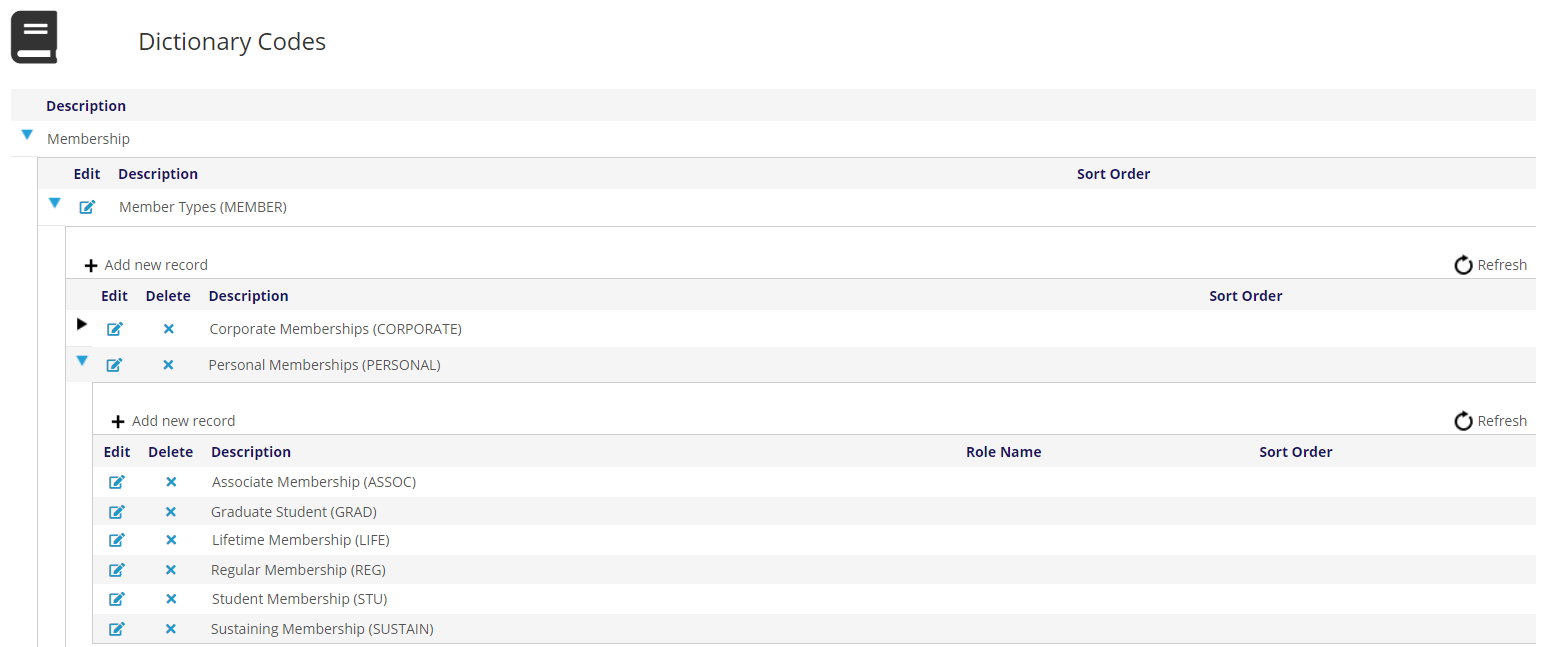
To expand any GroupCode to see its third level MasterCodes, click on the black arrow to the left of its Description column. The resulting view of the Member Types MasterCodes for Personal Memberships is seen in the next screen shot.
To collapse any expanded heading, GroupType or GroupCode click on the blue down arrow to the left of its Description.