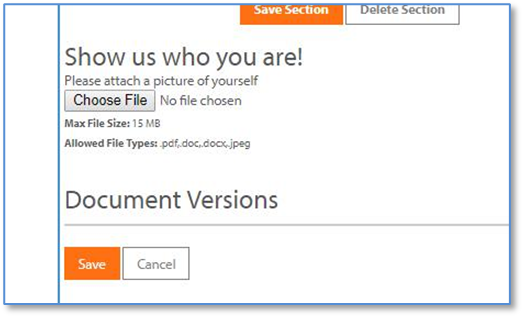
The user will be able to Contribute a submission document by clicking on “+ Add New” seen at the top left of the grid in the next screen shot. 
The page will reload to give the user access to answer the submission questions.
In our running example there are three tabs of questions, and the first one for Contact information will appear first to the user, in a manner similar to the view in the next screen shot.
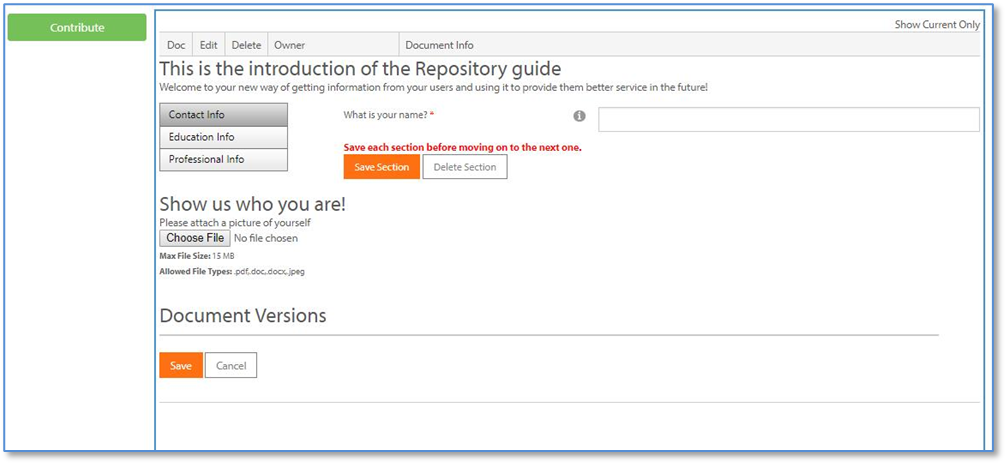
Once the user has saved the entries on the Contact tab, the page will reload with the next tab for Education information, as seen in the next screen shot.
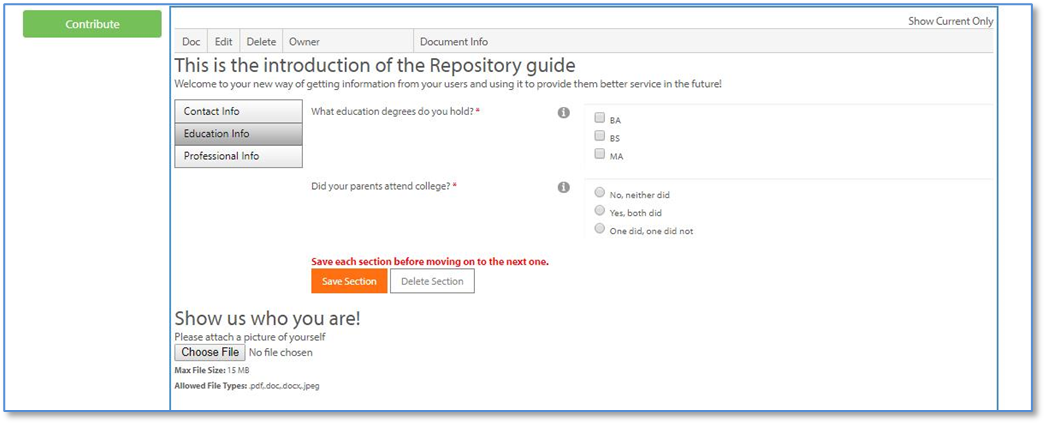
Once the user has saved the entries on the Education tab, the page will reload with the next tab for Professional information, as seen in the next screen shot.
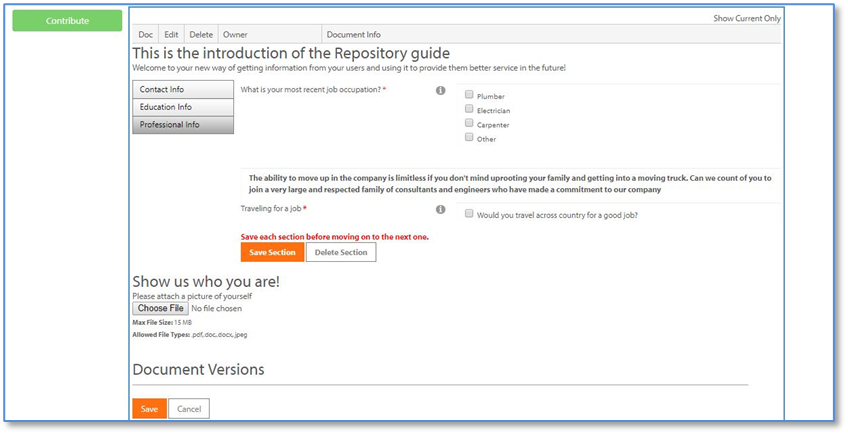
Each section (or tab) of the document must be individually saved in order for the answers to be submitted. The submitter can stop and come back later to complete the sections as they wish.
If your document was set up to ask the user to upload a supporting document, that request is placed in the lower left hand corner of the page. The user must click on “Choose File” to browse to the file they wish to upload and then click the “Save” button.