
Fulfillment of Inventoried items purchased is tracked through the Inventory Fulfillment page. This is accessed in the main AMS menu under Money, Store Fulfillment, Inventory Fulfillment.
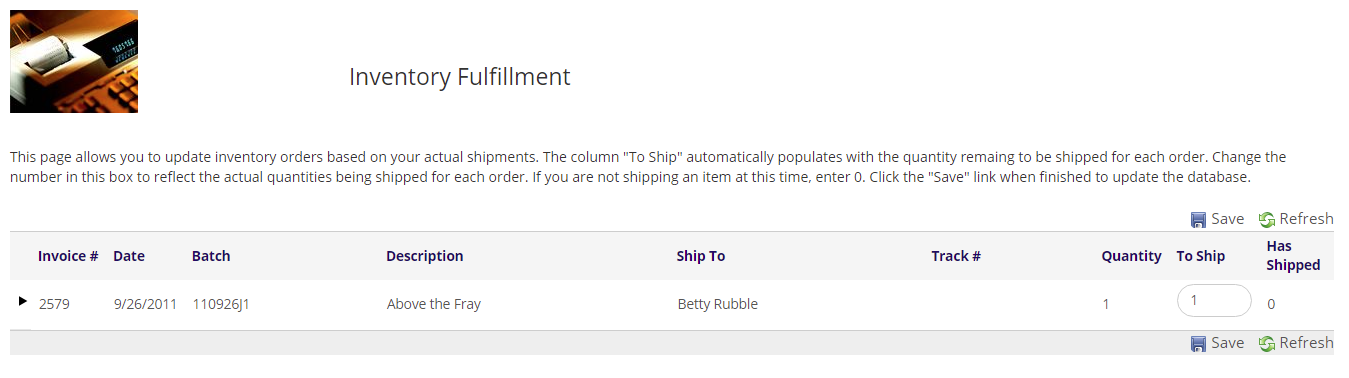
As the text says, you can update the quantity To Ship directly, or you can click the black arrow  icon see/add more details around a specific shipment. Click +Add new record to add a new shipment.
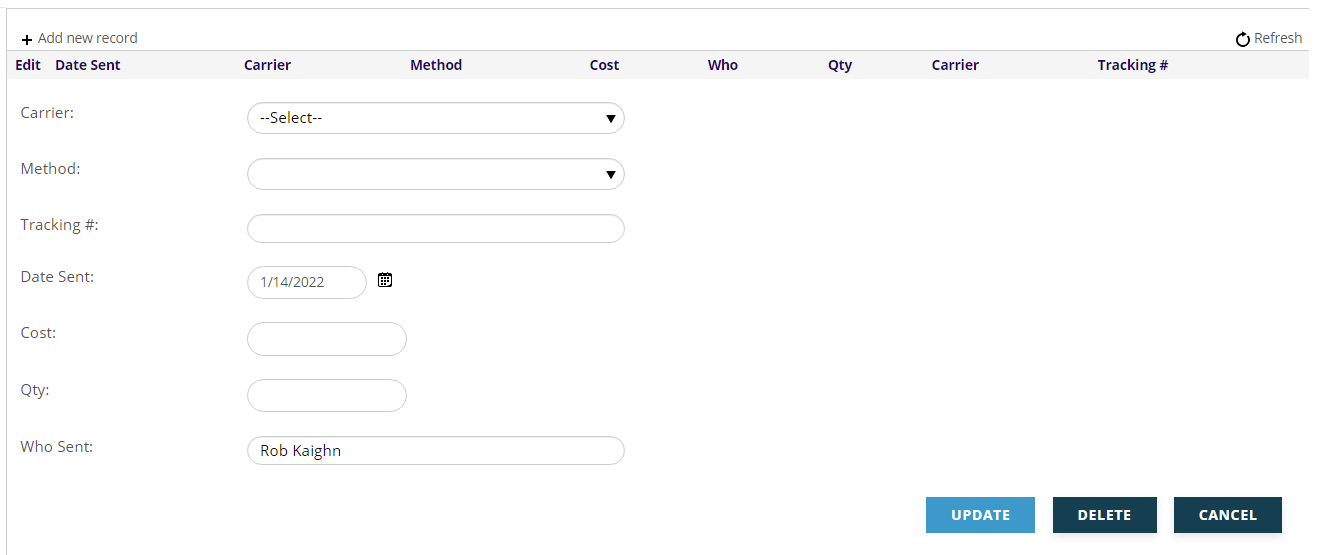
Here you can add the specific Carrier, (UPS, FedEx, etc.) defined in the Dictionary under Shipment Tracking (Tracking), the Method (Air, Ground, First Class, etc.) defined in the Dictionary under How To Ship (HowToShip), the carrier's Tracking #, the Date Sent, your Cost (for analysis of your true shipping costs), the quantity sent (Qty), and the staff user Who Sent the shipment (defaults to the current user).
This shipping information for a contact's purchases is available on the contact's Profile, under Money, Shipment Tracking.