
Several clients have used the Matrix for voting and elections. The Matrix allows you to ask a variety of questions, including voting for people, and track their responses, which can only be submitted once per person.
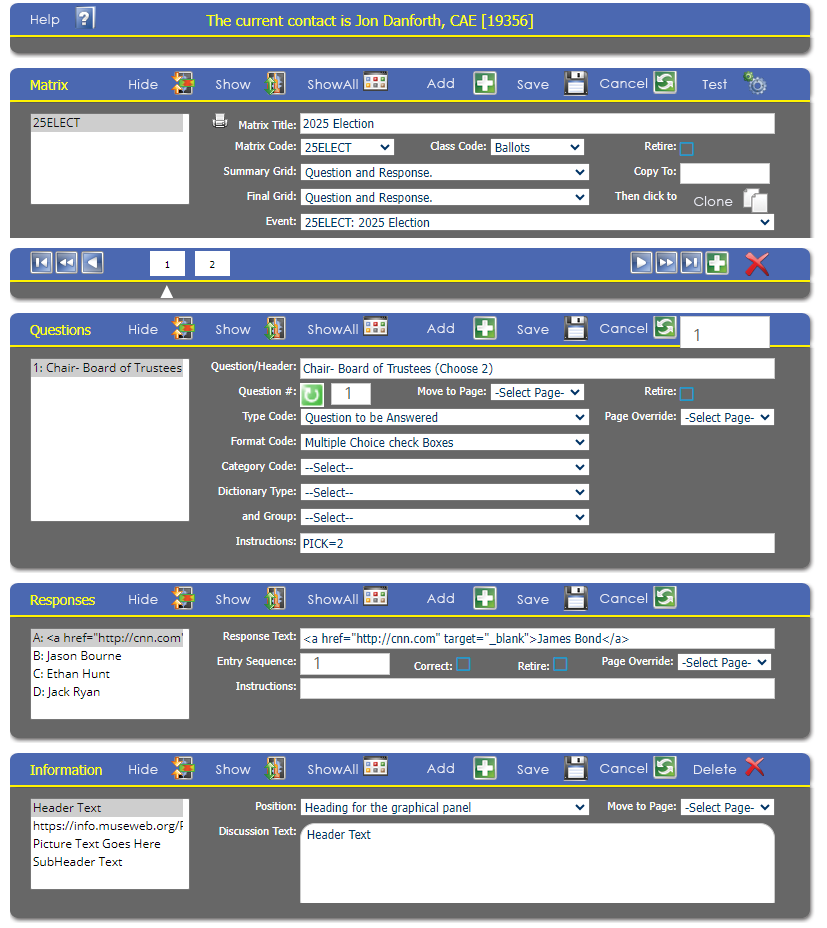
To use the Matrix for voting, you will want to create an Meeting & Event to tie the matrix to. If you have many votes, you might have a Meeting with several voting events in it, or you can have a meeting and event for each. The Class Code of the Matrix will be Ballots.
Just like any other Matrix, you can have multiple pages of multiple questions that can have a variety of responses. For an election, you might have a page for each position that is being voted on with a checkbox for each candidate. The PICK= instruction on the Question allows the selection of multiple options.
To provide more information on each candidate, you can add a hyperlink to the response that opens a new page with information on that candidate.
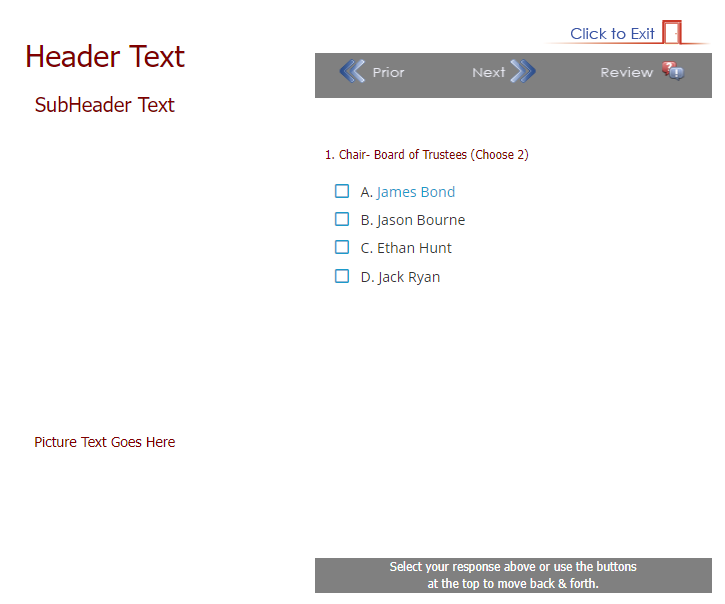
You can use the Reporter to send emails with a link to the page with this Matrix on it to specific people, for example all members; and you can add permissions to that page so only those that should access it can; for example all members.
The standard Matrix Reports will allow you to see the results of your constituents voting.