
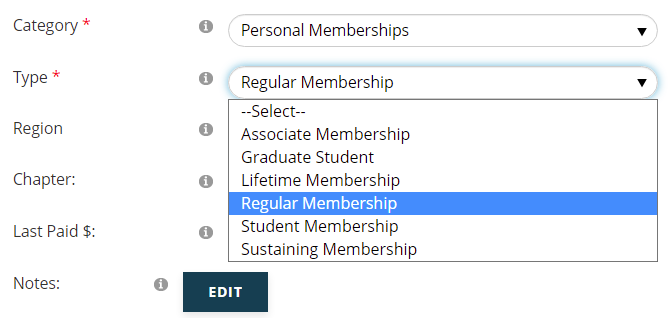
Member Types are in a grouping table that define your association’s various memberships. In the AMS, Membership data is stored in a member’s contact record via a Membership folder. The GroupCodes correspond to the folder’s Category field and the MasterCodes correspond to the Type field, as seen in a screen shot from a Member Folder below.
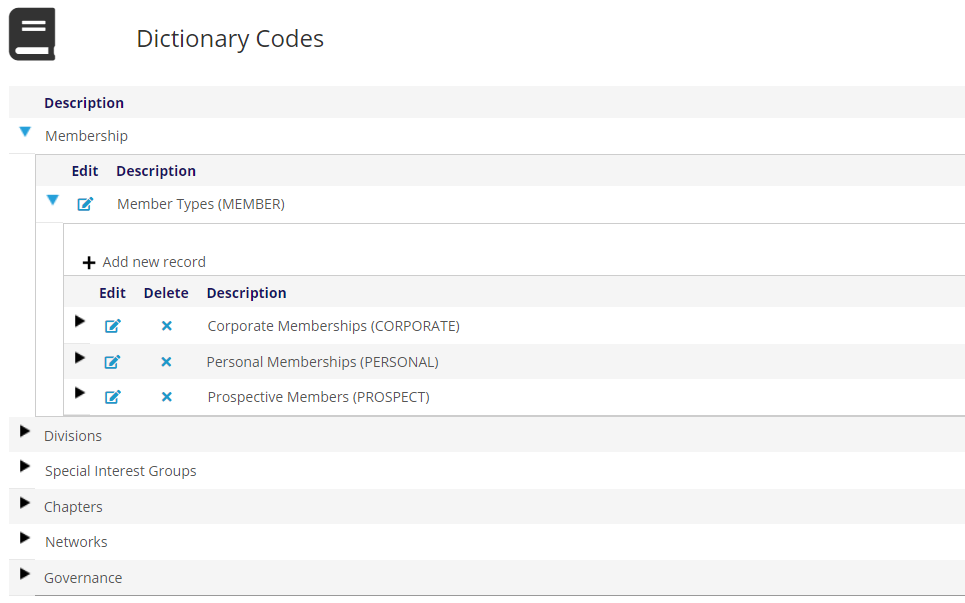
The sample parent GroupType of MEMBER is seen in the next screen shot of the Member Types dictionary, expanded to display typical GroupCodes of membership categories.
 You can create as many GroupCodes as you need to define the different kinds of memberships you offer. The GroupCode PERSONAL, seen in the previous screen shot, is for individual memberships. Sample MasterCodes that define Personal Membership SubTypes are in the next screen shot.
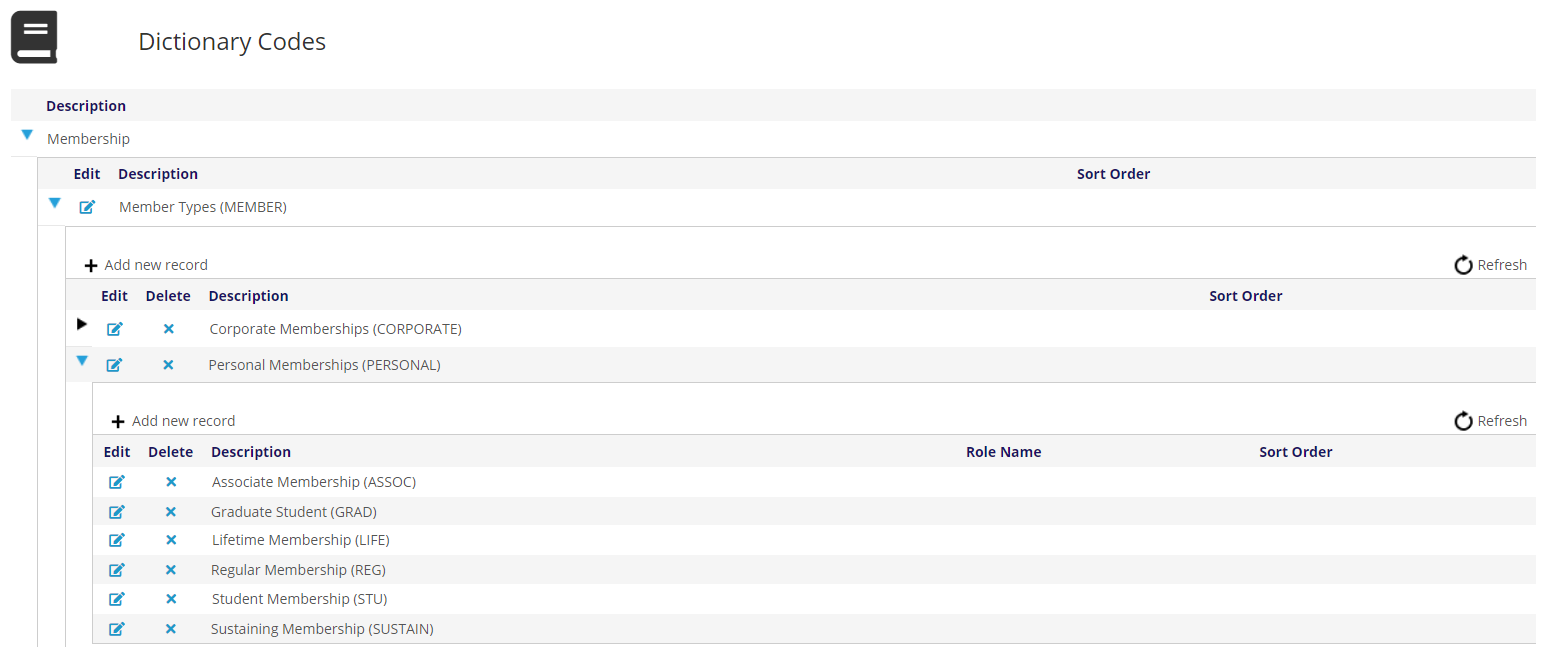
These SubType MasterCodes are defined as part of your initial implementation of the AMS, but you can add any others you need going forward. Keep in mind, if you change your Member Types dictionary you may need us to modify your online join/renew routine and your renewal notices to incorporate the change.
There are optional Instructions for Membership MasterCodes for those associations that need to define a grace period for their memberships that extends all member privileges and pricing for a number of months beyond the membership’s expiration date.
In our sample MasterCodes, the “GRACE=XX” instruction has been used to define a 3-month grace period, as seen in the next screen shot.
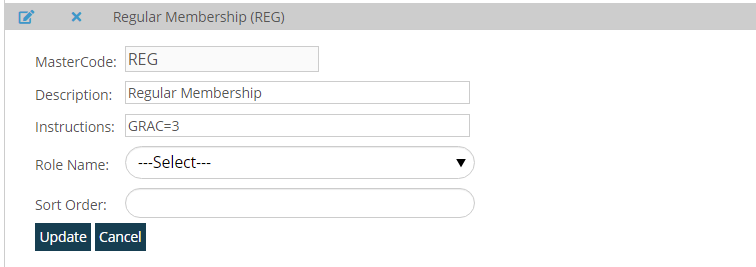
This instruction defaults to a number of months, but some associations customize it to use a number of days, so doublecheck with a Client Admin to know which version is being used.
The Role Name field is optionally used at the MasterCode level to allow certain members to access restricted content on the association’s website. You can create as many Role Names as you need to allow for more than one way to restrict access. Thus, if need be, some members could have access to more restricted content than others.
The pricing for Memberships is not defined in this dictionary. They are defined with Program Codes, which are covered in the Money section of this knowledge base.