
The Messages area of the NOAH System Configuration allows you to access a variety of messages used throughout the system, accessed using the Messages button. These messages can be used in printed reports, emails, and on the website. Having these messages here means you can easily change them yourself without needing JL Systems' staff to do it.
For example, these can be used on MasterCodes under an event type with the Instruction of DESC={CONFMSG2}, which is used in the Conference Module to pull in this message (CONFMSG2) as the description for that event type when shown on the registration page.
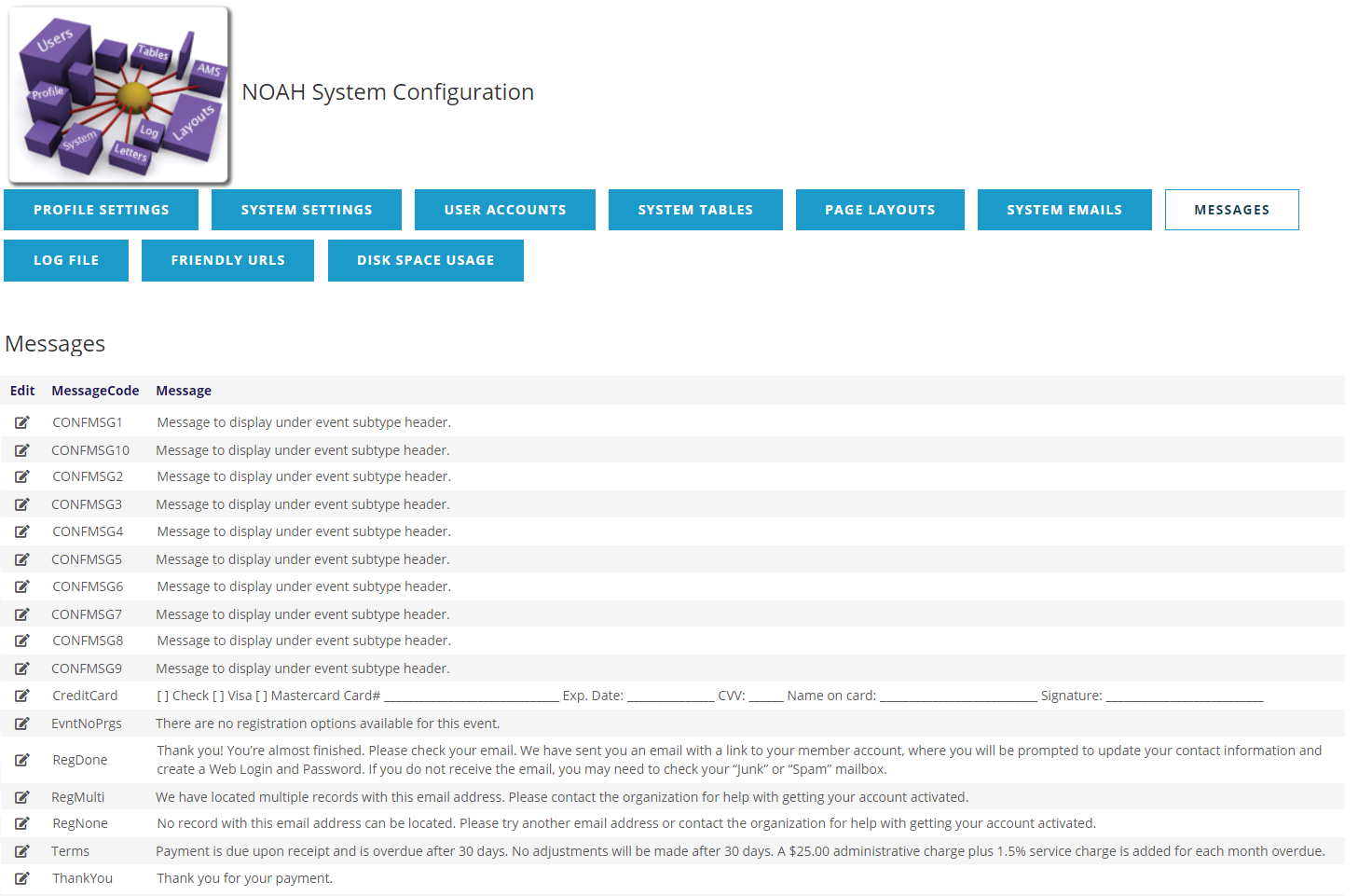
These are typically used in the following ways:
- CONFMSG1 - CONFMSG10- placeholder messages for adding custom text to the top of sub events in the Conference Module.
- CreditCard- payment options shown on invoice stub to be returned with payment.
- EvntNoPrgs- message displayed on website when there are no registration options for the user.
- RegDone- message displayed on website after a user creates an account.
- RegMulti- message displayed on website when a user is creating an account and the email is already in use by another contact.
- RegNone- message displayed on website when a user is trying to get the login information for an existing account and the email is not found.
- RemitAdd01, RemitAdd02, RemitAdd03- These are 3 optional messages shown at the end of Invoices in left, center, and right portions of the page.
- Terms- payment terms message shown at the bottom of invoices with a balance due.
- ThankYou- thank you message shown at the bottom of invoices/receipts that have been paid.
You cannot add messages here, only update existing messages that have been setup for your organization. To edit a message, click the edit icon next to the message you want to update.
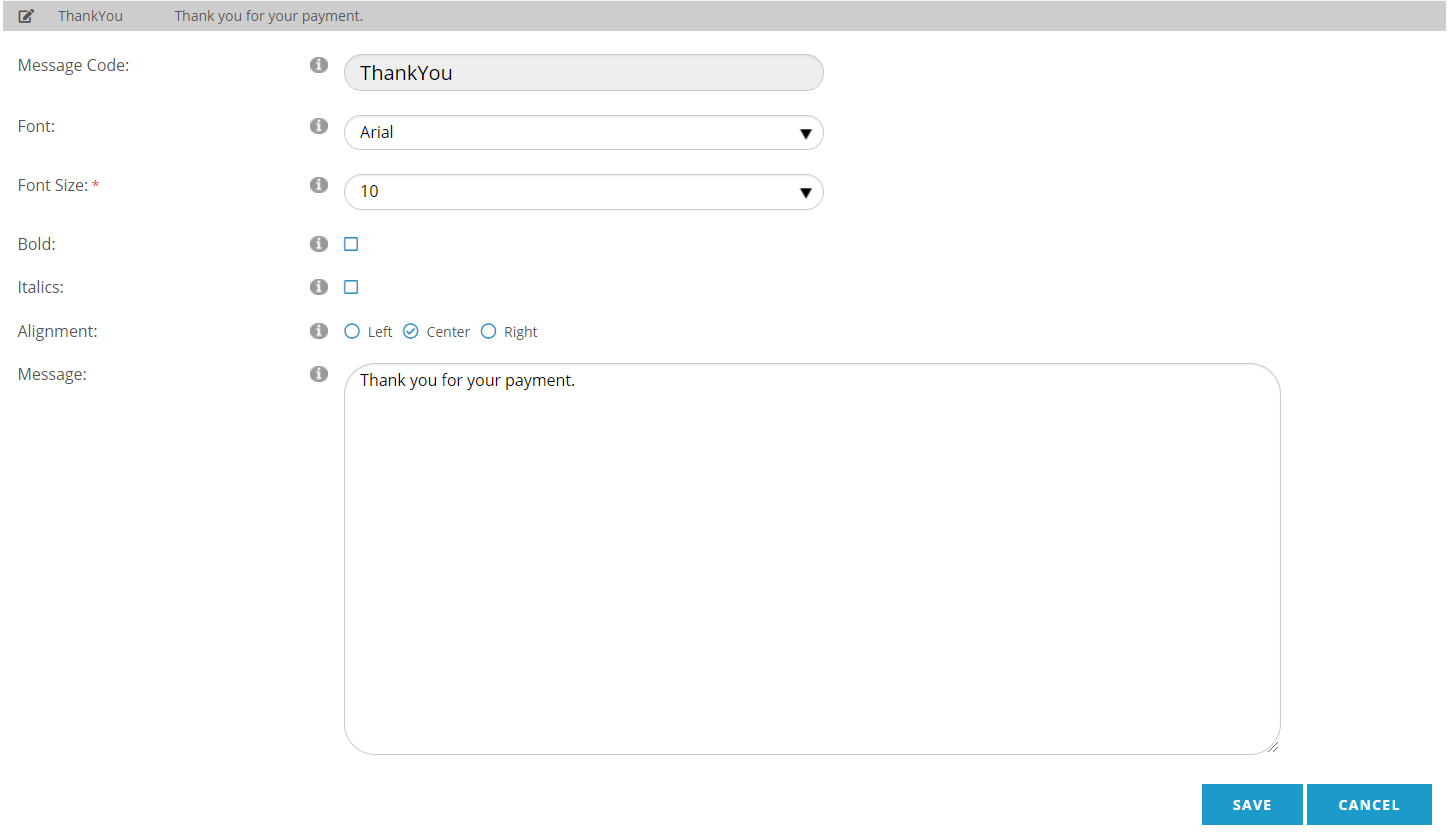
When the row expands, you can update the text of the message, as well as other characteristics of the message, like the font and alignment; NOTE: these characteristics may or may not be used depending upon where the message is shown. HTML code may be included in the message for more control of display, but where the message is used may affect how the message is rendered.
Click the SAVE button to save your changes, or the CANCEL button to discard them.