
The Note Pad tab in the AMS is used to record all correspondence and action items for a contact. Note Pad entries can be queried based on which member of the staff assigned or was assigned a task, by entry, due and/or done dates, and on the seven different codes to each entry that define the urgency level, department, follow up task, resolution level or any other category created by your association. 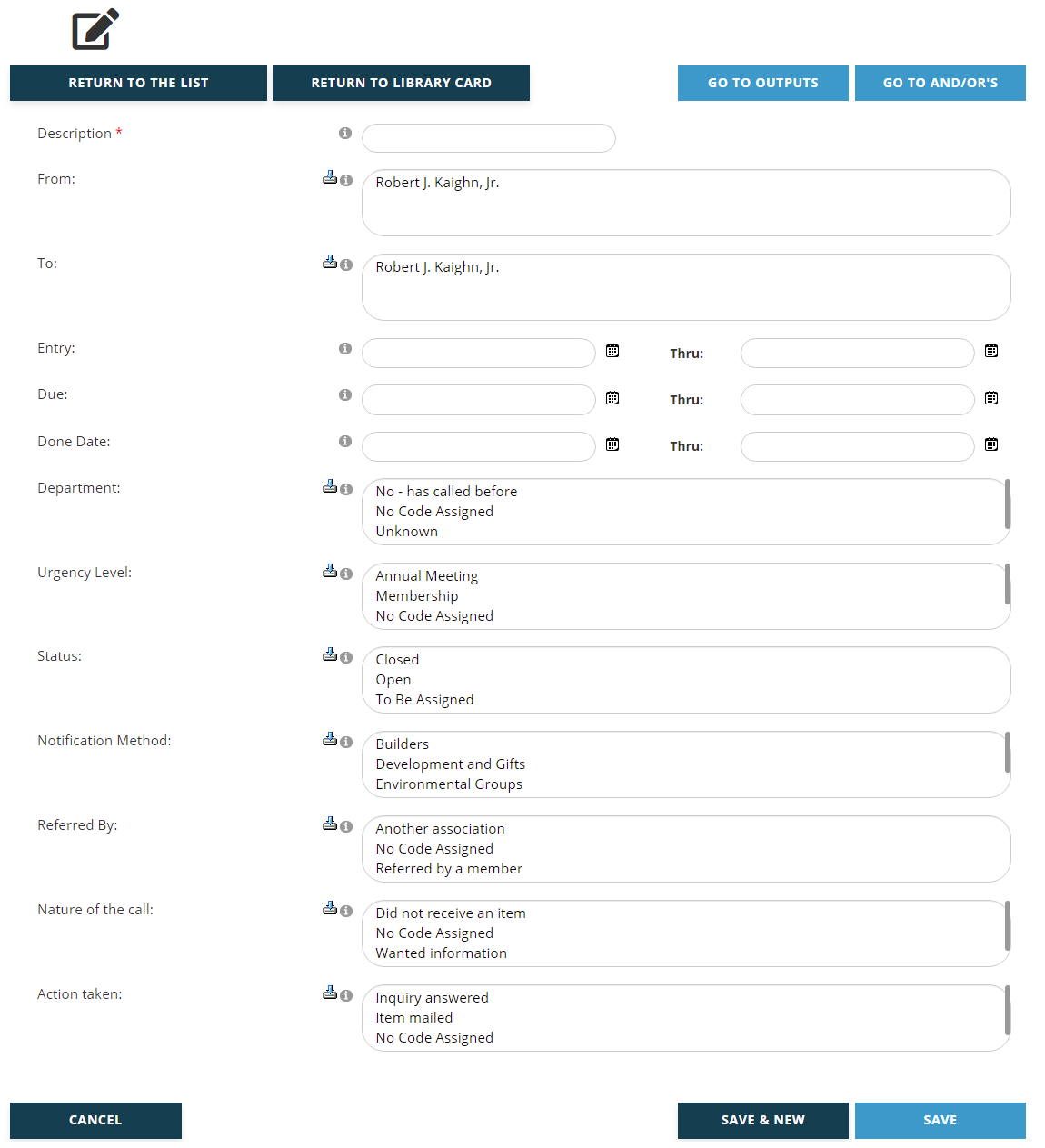
A Description of the purpose of the criteria must be entered in the first field, which is a mandatory text box. Enter this value before entering any criteria. This description should match the exact criteria you are creating. For example, if you create a critieria to find Note Pad tasks that are open status and assigned to a particular staff member, you would want the description to be “Jane’s Open Tasks” or something similar. Descriptions become important later when you are applying the And/Or logic to your criteria, where each criteria being named for their exact filter makes it easier to set up the logic to be applied.
The From and To fields are multi select boxes. The “From” field lets you search for the staff member(s) who created a note. The “To” field lets you search based upon the staff member(s) assigned a note as a task.
Then there are three date range fields, and criteria searches on these fields will only yield contact records that have dates within your defined range entered in a note in their Note Pad tab. Entry date lets you search by the date the Note was first entered in the system. Due date lets you search contacts with Notes that have a due date. Done Date applies to Notes that have a done date entered in this optional field. Remember that a blank date in the first of the two fields causes any search on that field to start at the beginning of time. A blank “Thru:” date causes the search to go until the end of time. If a date is entered as a start or end date, the search includes that date. To search one particular date, enter the same date in both fields.
Department, Urgency Level, Status, Notification Method, Referred By, Nature of the call and Action taken are multi select fields where the corresponding choices are available as defined in your system. Results of queries with Note Pad Criteria that search on entries in these fields, which are optional in Note Pad entries, will only return those contacts with Notes that have the matching selection(s) entered.
Click on the Save button to save any changes made. Click on the Cancel button to exit the page and discard any changes made. Click on the Save and New button to save the Note Pad Criteria you have been working on and immediately start creating another Note Pad Criteria for the same Library Card.
Clicking the Save button brings up a View page for the new criteria. The same process applies when an existing Note Pad Criteria has been edited. Double check the criteria to make sure the fields were set correctly. If you need to make changes, click on the Edit button below the summary. If everything is correct, click on the Go to And/Or’s button and set your And/Or preferences. That process is described later in this chapter.
More information on Note Pad can be found in the Profiles and Contacts Dictionary sections.