
The Presentation Method in the Presenter Center is selected when the presentation is approved. The presentation method classifies the presentation into a specific category. If the dictionary doesn’t exist, the presentation method will not appear.
Start by expanding the Presentation Methods (PCPRESMETH) sub-section of the Presenter Center in the Meetings Dictionary.
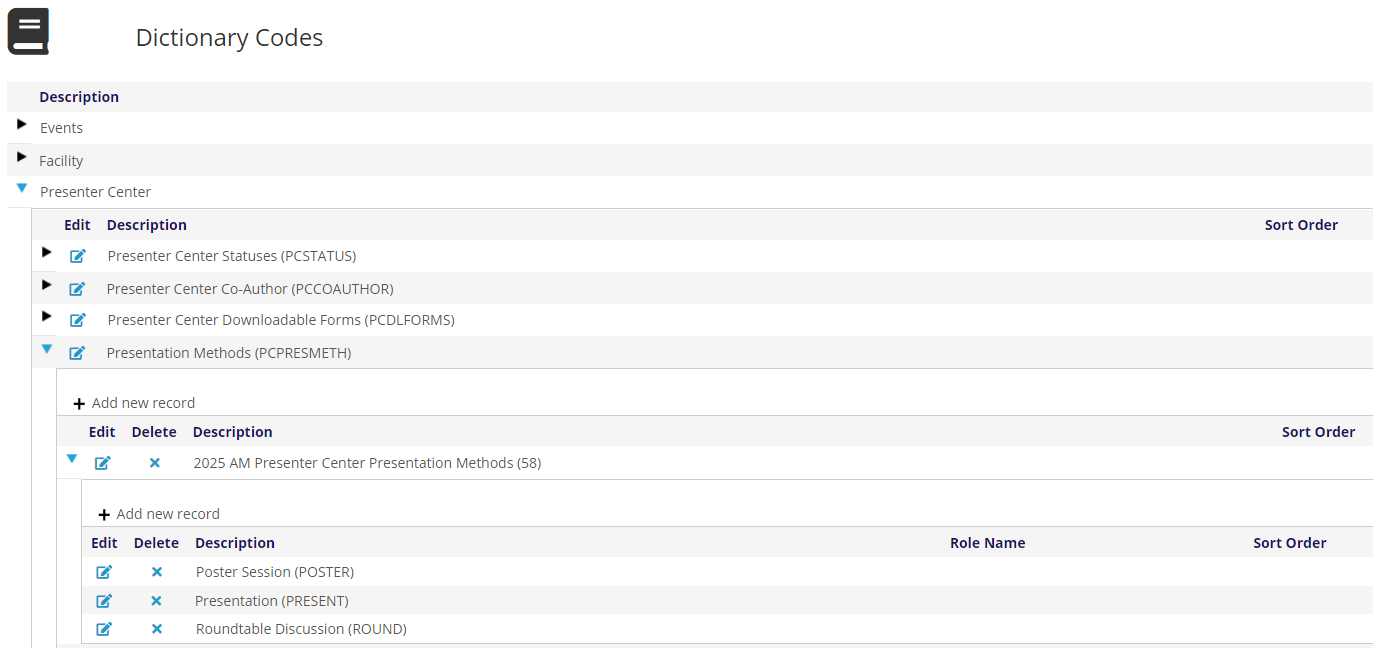
Similarly to other Presenter Center entries, the Presentation Method GroupCode for your Event, will be the Event ID of Presenter Center event for this meeting, 58 in our example above. The Description should be a brief description of the Presenter Center event (2025 AM Presenter Center Presentation Methods). There are no instructions at this level and the sort order is optional. Remember to click Save to create your presentation methods for this meeting.
Expand the event you just created. Click on + Add New record and add the MasterCode and Description for your desired Presentation Methods. Once approved these are available to be added to a session.