
For both Individual and Company contact records, every email sent by the AMS is stored, and can be viewed at any time in the Email History control. You can view blast emails, shopping cart confirmations, meeting confirmations, exhibitor reminders and any other email generated by the system. All attachments sent with the original email are included.
To open and view any of these emails, click on the  eye icon in the Select column all the way to the left in the row for that particular email. Details of that email will be displayed, as seen in the next screen shot.
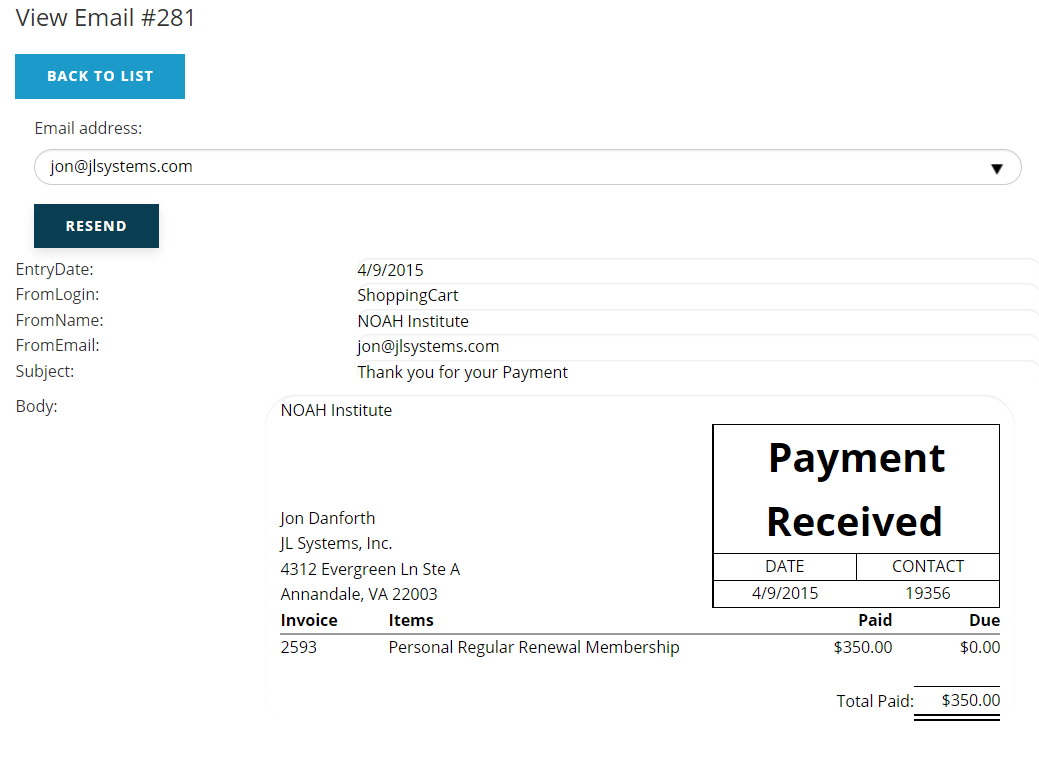
You can resend any email, except bulk emails sent via the Reporter, to any email address you wish. The option to Resend the email is under the Email address drop down field. If you want to resend it to a different email address, click the down arrow in the far right of the email address field, and select Enter Email from the drop down list. Then type in the address you wish to use.
When the AddressUsed is missing, the staff person or contact blanked out the email address on the payment screen. The system still generates the history but no actual email was sent. You can use the Resend button if you later decide you want to send a confirmation to this contact.
The Back to List button found at the top of the control allows you to quickly return to the list of all emails.