
The Repository control allows you to view all uploaded documents for a contact in one place. Several processes in the AMS, such as membership applications, can generate documentation in a contact’s record so this control allows you to avoid searching the other controls to find out which documents a contact has uploaded. In the next screen shot, you will see the contact has one document listed in the repository.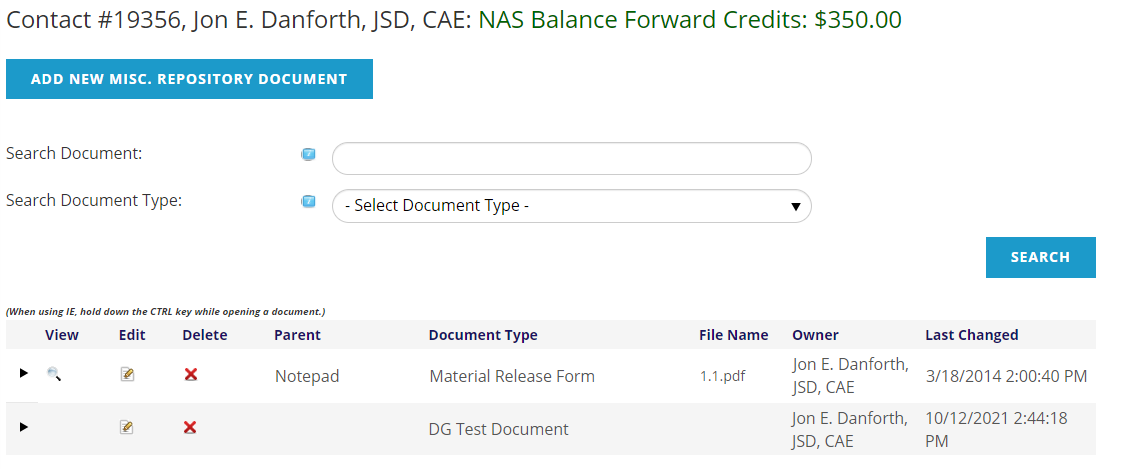
View, Edit or Delete each item document using the icons in the leftmost columns. The Document Type, File name, Owner and the date the document was Last Changed are also listed. In the Parent column, the item to which that document is attached is shown, and clicking on it takes you to that item.
The AMS can be set up such that the Repository control can be used to upload miscellaneous documents that are not attached via another process. When this feature is available, as in the screen shot above, you can click on the Add New Misc. Repository Document button found above the search fields. The uploaded miscellaneous documents will display with all other documents in the same chart.