

The Quick Edit button allows you to quickly edit submissions. Clicking this button will open a grid of all the submissions.
Using the filters in the header of the grid, you can limit the results to help find the session(s) you are interested in. Click the edit icon on the left of a submission to edit the Submission Title, Submission Status, Presentation Method, or any of the Repository Document Data submissions. The data fields that you see that are available for edit are those whose checkbox labeled Use In Quick Edit is checked within the submission form Repository document. To hide or show additional fields for editing go to the submission document in the Repository dictionary and edit the submission fields you wish to update. Checking the box Use In Quick Edit will include them in this form.
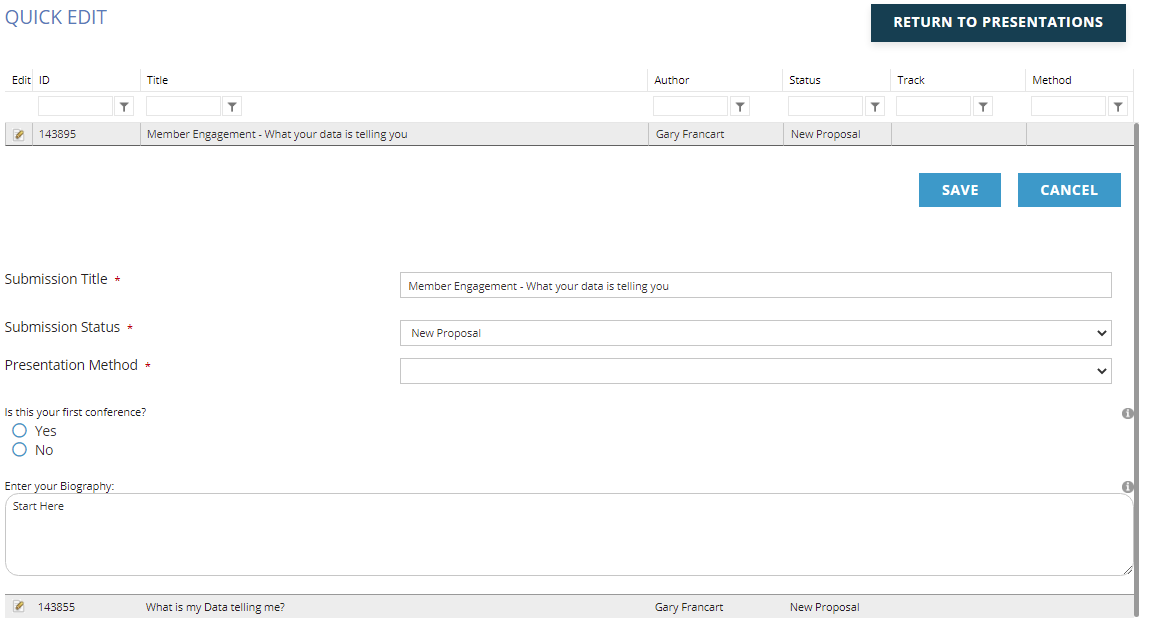
Remember to click the Save button to save any changes, or the Cancel button to discard them.