Once you have assigned reviewers you need to create a page in your association’s website that includes the NOAH Repository module in order for reviewers to complete their reviews. It is recommended that you leave the page out of the website menu and restricted to either administrators or staff so that only you can execute it while you are testing your review form.
Once you have added the Repository module to a page in the website, go into “EDIT” mode and select to change the settings in the Repository module. You will find a breakdown of all the settings that are available in the module in the Repository Appendix section. Certain fields in the module settings are required and they are marked with a red asterisk ( * ) .
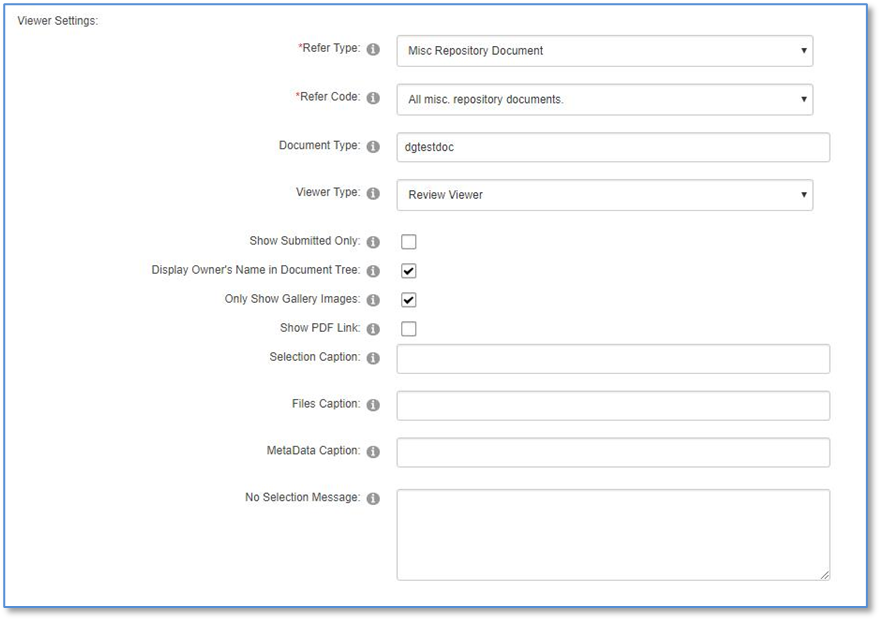
The Control Settings and Viewer Settings sections are exactly the same as with the Submission module settings described above and in the Appendix.
Within the Select Control Drop down you will find a simple setup for the type of module you are initiating. For most screens in which users will be interacting the “Review Viewer” setting is the best for Viewer Type.
The Skin drop down menu will allow you to try different pre-set options for color and features based on what is available in your association’s website. The skin choice can also change the layout and labels of the command buttons, and in some cases lets you override the button labels.
The Refer Type and Code must match the same settings as the submission document for which the review is being completed.
The Document Type must match the submission document type if you wish to limit reviews to a single submission document, such as a single award type and year of the award.
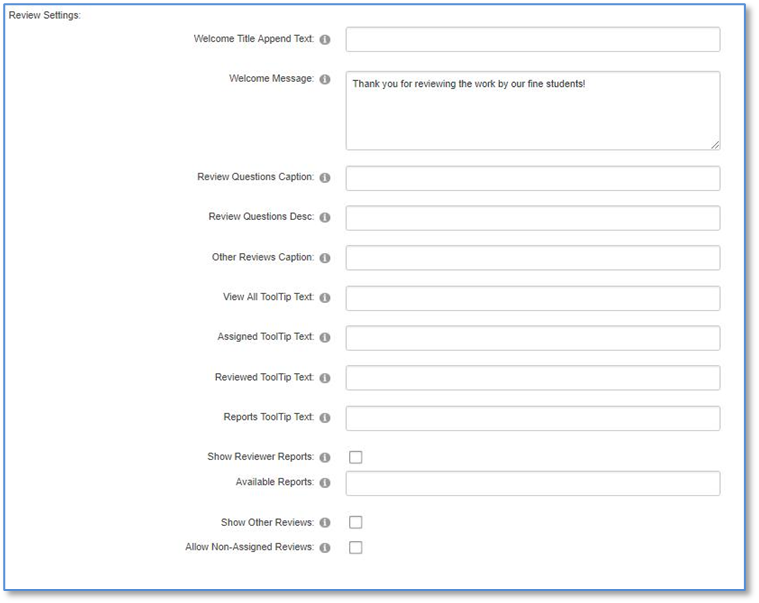
The remaining settings in the Review Settings section are not critical but allow you to configure the behavior of the review process exactly as you wish. They are relatively self-explanatory, and a description of each one is found in the Appendix of this chapter.