
NOAH supports selling inventoried items that have variations like colors and sizes; t-shirts would be a good example of this. The system supports:
- Color- for example purple, blue, yellow, etc.
- Size- for example, small, medium and large, or even 4, 6, 8, 10 & 12.
- Mode- for example, CD-ROM, USB, or downloadable versions of a product.
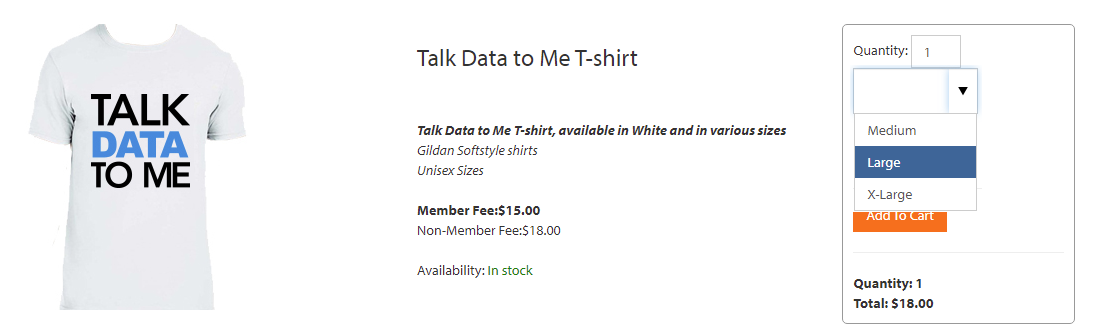 T-Shirt with Sizes in Online Store
To set this up in the AMS, you have to create one main, or parent, inventory item, like TSHIRT; then one inventory item for each available color, size, and mode combination. The parent inventory item is the one that shows in the Online Store and contains the description for all of the options. When the Inventory Properties are set up, options appears under the quantity for the item in the Online Store. Each child item, requires its own program code, linking to the parent item. The actual price comes for the specific color/size program code. The HotKey pattern does not matter, it just makes it easier to organize and know which program code to select when creating for the inventory items.
When selling items of various characteristics, you will first want to setup the Inventory Properties (INVPROP) in the Money Dictionary.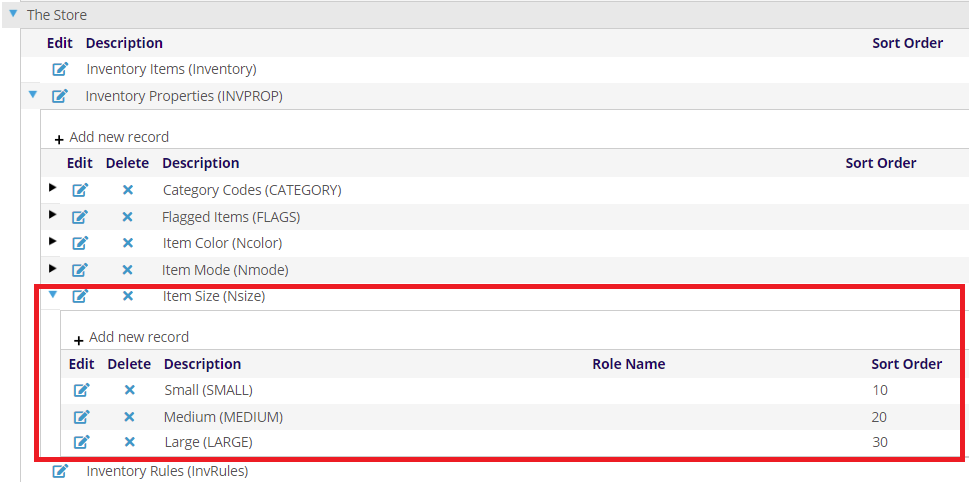
Here you will want to add all the sizes (Nsize), colors (Ncolor) and modes (Nmode) that you will sell across all your Inventory Items. The Group Code must be named this way (i.e. Nsize), however the Description of the Group Code can be named whatever you like. The Master Codes under each may also be named however you like (limited to 10 characters using letters and numbers). This Description of each is what is shown in the drop down in the Online Store. You will probably want to add a Sort Order so they options appear in the order you wish in the drop down.
Next, each variation of your Inventory Item (Purple-Small, Purple-Medium, Purple-Large, Blue-Small, Blue-Medium, Blue-Large, etc) will need to have a Program Code setup and a corresponding Inventory Item setup as well as an overarching Parent Product (TSHIRT) that has a Program Code and SKU.
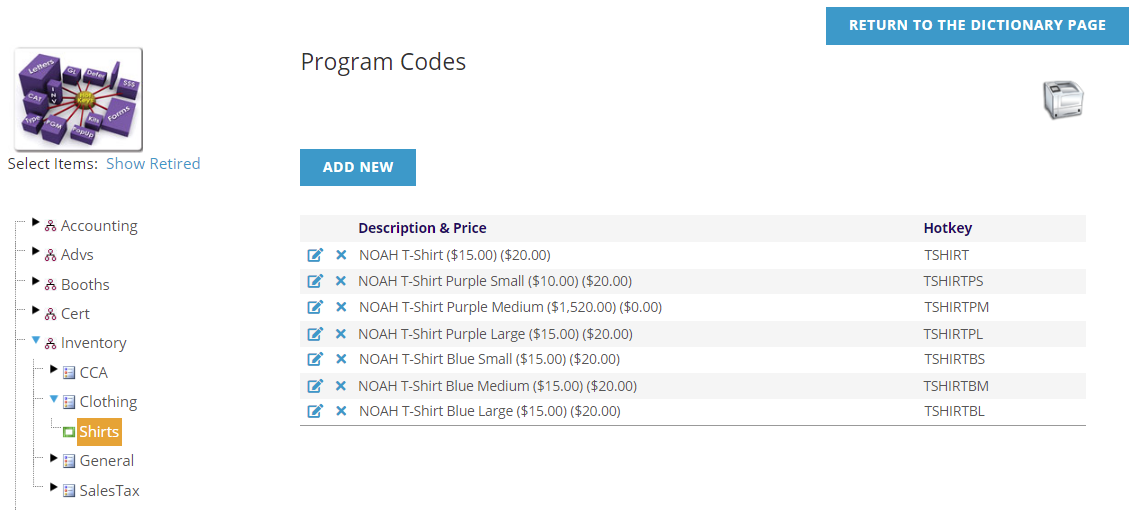
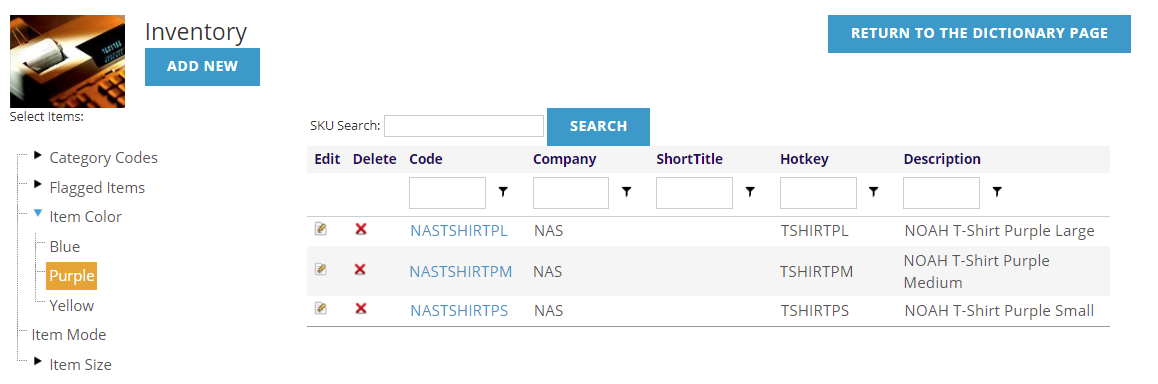
The Parent Inventory Item (SKU) has the description, images shown in the Online Store, and is linked to the main Program Code. Each variation (size/color) of the SKU is linked to the related (size/color) Program Code with the actual price, has the main item selected as the parent and has the Nsize and Ncolor selected on the Properties tab for the Inventory Item setup.
Member/Non-Member pricing is setup on each Program Code. When a FormatCode of Inventory Sales is used, you will see options in the Member Fee and Non-Member Fee fields for these values that are displayed in the Online Store.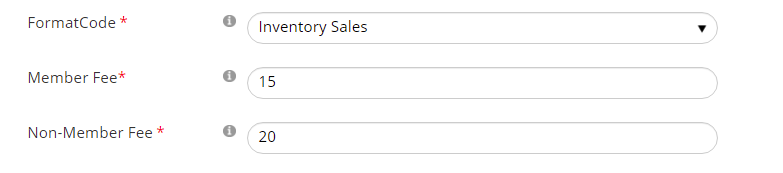
NOTE: This article has used an example of a T-Shirt available in multiple sizes and colors, however you may just us a single variation of size for your T-Shirts, or even have a mode of Men's and Women's to add a third variation on the same product.