
Cannolai uses the HubSpot Help Desk as our customer support platform to track tickets for client needs . There are two ways to interact with HubSpot:
- The Client Support Portal allows clients to create, view and interact with tickets, and can be accessed using the support button (a helping hand) at the top right of pages in the AMS.
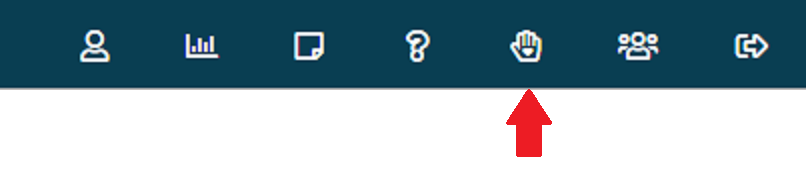 This portal has a separate login, and the user name will be your email address (don't use the Google, Microsoft, or other login options). If you are not able to login, please email support at support@cannolai.com.
- Email messages can be sent to support@cannolai.com to initiate a ticket, and notification messages (also from support@cannolai.com) can be replied to providing more information.
NOTE: We will not accept tickets from 3rd-parties, or vendors. Clients must create all tickets and be on all emails and in all meetings. Because 3rd-parties may be asking for billable work or access to confidential data, we cannot work directly with them and the client must be involved in all exchanges.
When creating a ticket, please provide:
- a clear description of the issue or need, including screen shots and steps to reproduce
- the URL where the issue or need can be found
- a user we can login as to experience the issue or need
- related invoice numbers, batch IDs and contact IDs
- any relevant dates as to when the issue or need started or needs to be finished
We need to be able to recreate any issues to fix them, so the more information you can provide the better. This will cut down on messaging back and forth for more information, and lead to a faster resolution.
Once a ticket has been submitted you will receive an automated message letting you know that the ticket was created. Our team will add notes to the ticket to get more information or give updates. These notes will generate email notifications to you. You can reply directly to the email or go to the portal to add any additional information.
You can include screenshots and other attachments in tickets to help explain the issue. However, images under 100px high or wide are removed to exclude logos and social media icons from your email message (signatures) that are not related to the ticket, so please attach images that are larger than 100x100. NOTE: the maximum allowable file size of an attachment is 10MB.
As we work on the ticket, there are a variety of statuses it may go thru
- New- the status when a new ticket comes in.
- In Progress- the status when we are working on a ticket.
- Waiting on Customer- the status when we are waiting on information from you, the customer. Please reply as soon as you can to insure a quick resolution.
- Customer Note Added- the status when you, the customer, has added information to a ticket.
- Complete- the final status, meaning we are no longer working on this issue.
If you are not satisfied with a Complete ticket, simply reply to the related notification email message, or reopen the ticket in the Client Support Portal. However, for new issues please create new tickets.
Holidays
Cannolai observes several holidays through out the year and our support team is off on these days:
- New Year’s Day
- Martin Luther King Jr. Day
- President’s Day
- Memorial Day
- Juneteenth
- Independence Day
- Labor Day
- Indigenous Peoples’ Day
- Thanksgiving Day
- Day After Thanksgiving
- Christmas Day