
The presentation track can be selected when creating a new presentation. It’s used to categorize presentations in client pre-defined tracks, and a submitter may only select one track. However, the track selected can be changed later in the Presenter Center Admin.
Start by expanding the Presenter Center Tracks (PCPRESTRAC) sub-section of the Presenter Center in the Meetings Dictionary.
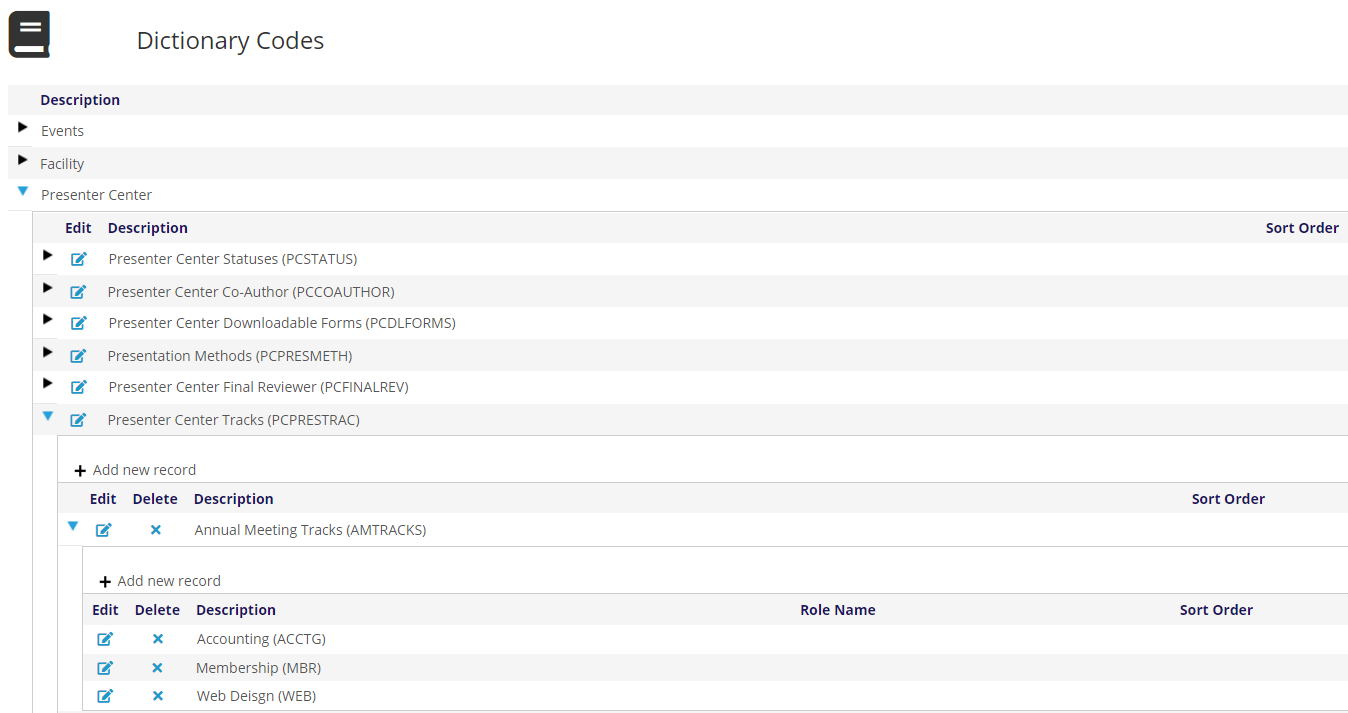
Unlike other Presenter Center GroupCodes, you may make the GroupCode whatever you like for Presenter Center Tracks (PCPRESTRAC). These tracks are tied to the event using an Instruction of EVNT= and the Event ID.
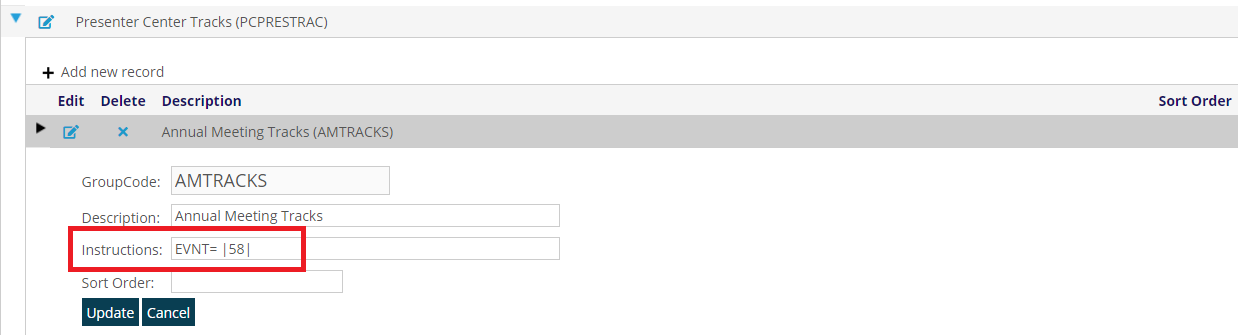
You must use pipes "|" before, after, and between the Event IDs. This allows multiple events to use the same tracks.
EVNT=|58|123|5687|
Remember to click Save to create your presentation track for this meeting.
Expand the event track you just created. Click on + Add New record and add the MasterCode and Description for all your desired tracks.
Because the Event is defined in the Instruction, you can have multiple Track Categories and underlying Tracks for an Event ID. For example, instead of Annual Meeting Tracks (AMTRACKS), we could have an Accounting Tracks (ACCTG) with multiple tracks and Web Tracks (WEB) with multiple tracks both with EVNT=|58|, and then both sets of Tracks would be available in the Presenter Center.
NOTE: In order to retire a track GroupCode or MasterCode, put the RETD=TRUE instruction on either one.