
Address Types are required for every address entered for a contact record in the system. The first step in the Add New address function for a contact record in the AMS is the selection of an Address Type from the drop down menu for the mandatory Type of Address field, seen in the next screen shot for an Individual contact record. 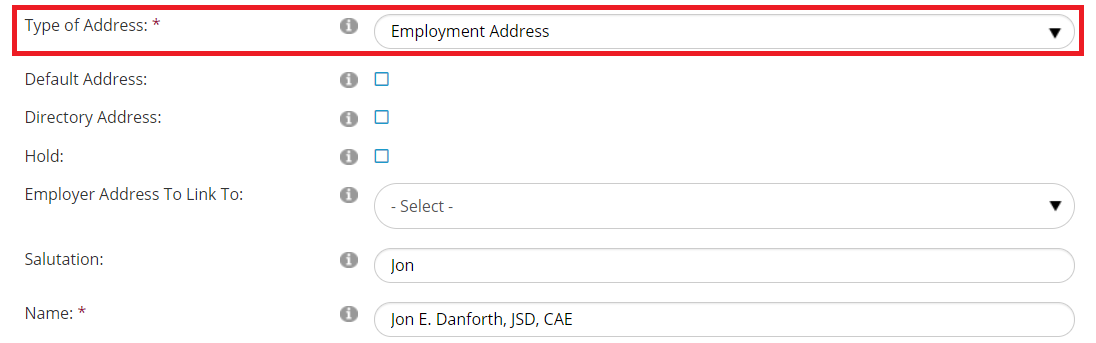
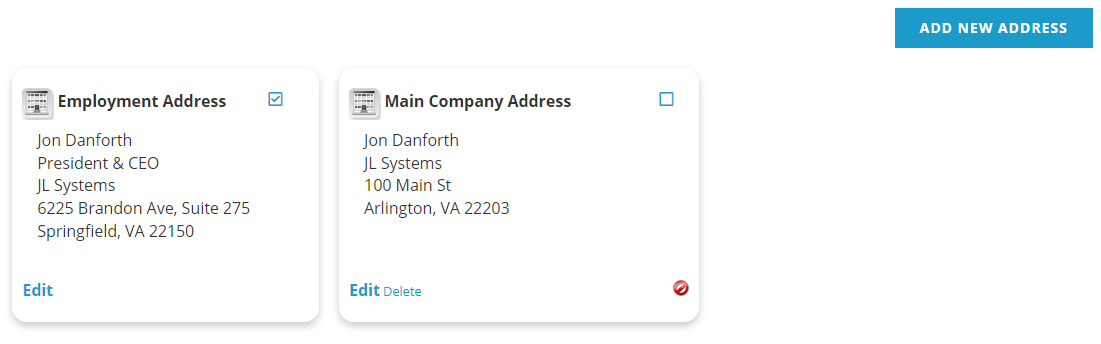
All addresses entered for a contact record can be viewed and edited in the AMS under Profile, Addresses, as seen in the next screen shot for the same record, with each Address Type listed at the top of each in bold. Address Types can also be viewed and edited in the Addresses section of a contact record’s Profile tab in the AMS.
The Address Types Dictionary is a flat table, defined as the ADDRWHICH GroupType in our example below. This GroupType is in the next screen shot, expanded to display its typical MasterCodes.
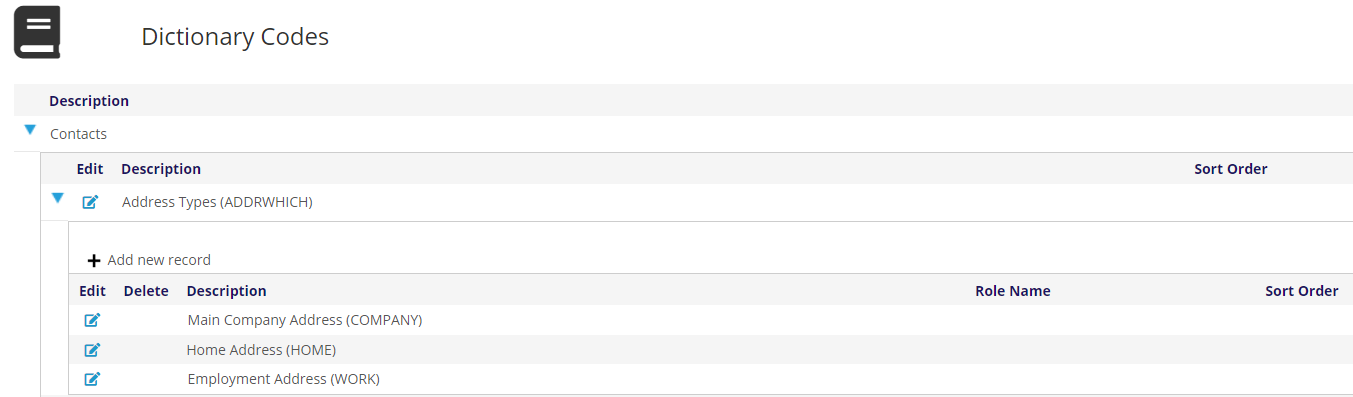
The sample MasterCodes here are straightforward, to designate any address in a contact record as a Main Company Address, Home Address or Employment Address. These MasterCodes will populate the drop down menu options for the “Type of Address” field in the AMS, as seen in the first screen shot above.
It is crucial to make sure that the MasterCode of COMPANY is used only on Company contact address records, and the MasterCodes of HOME or WORK are used only in Individual contact address records. This approach makes reporting, queries and other functions run more easily and accurately.
This is controlled through the use of Instructions within each MasterCode. In the next screen shot, for the COMPANY MasterCode there are Instructions for “SHOW=COMPANY”.
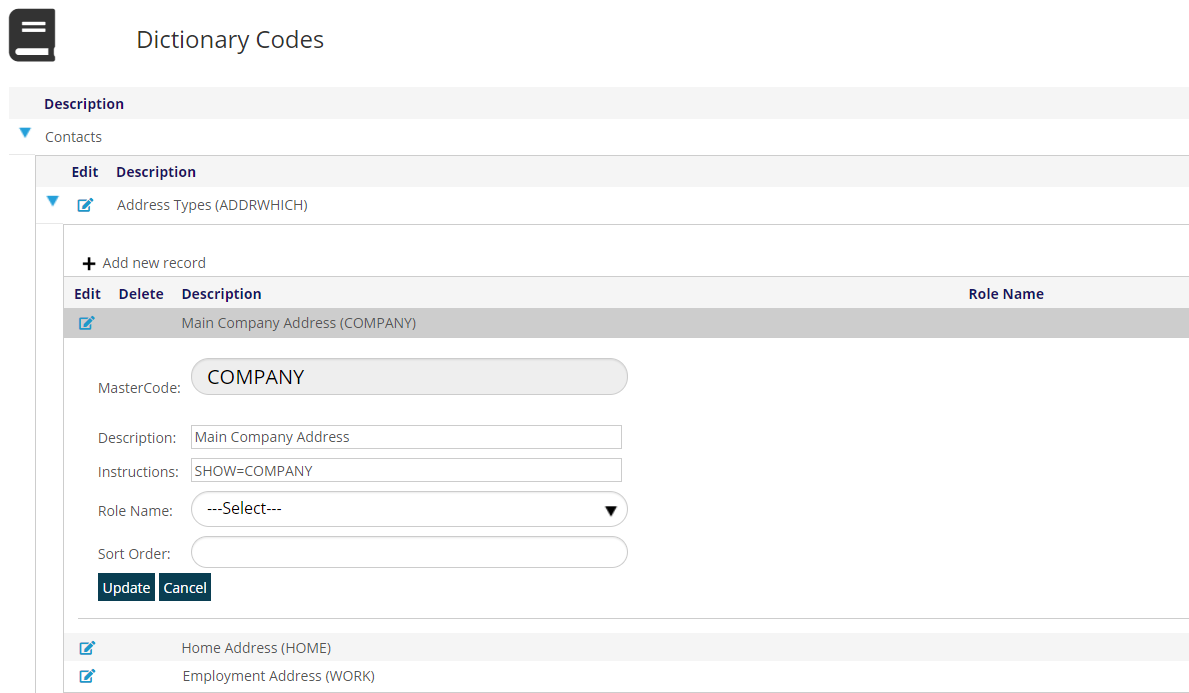
This instruction causes the option to enter an address described on screen as “Main Company Address” to only show up as an option when the user is working in a Company contact record. This option would not show up to a user working with an Individual contact record. The proper Instructions for HOME and WORK can achieve the reverse, only showing up as options for those working with Individual contact records. Thus any address is only ever associated with one Contact Type. Instructions for addresses should never be edited by association staff, so contact support if changes or additions are needed.
More information on the use of Addresses in the AMS is in the Profile section of this knowledge base.