
Cannolai provides a community for our clients to interact and share with peers about their use of the NOAH and aarwin AMS platforms.
This is not a place to report issues or bugs, you should create support tickets for that; the support team does not monitor this community.
The community is a place to ask and learn from your peers the how's and why's around the business use of NOAH at their association. For example:
- Who is responsible for creating batches at your organization?
- Why type of revenue deferral are you using and why?
- What do you do with the EmailTrack information from your mailings?
- What roles do you use on the website to make a unique experience for your members?
Here are a few tips to help you get started in the community:
- Login to the NOAH AMS as you normally do. Be sure that your user account is linked to a contact record in your database for yourself, and that your user account has your email address in it in addition to your key email address on your contact's profile. If you are not sure if your user account is fully setup, a Client Admin can verify this and update your account as necessary.
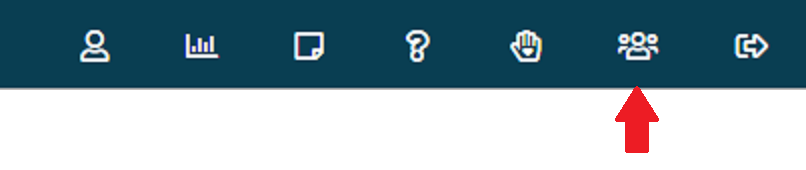
- There is a button at the top right of the AMS pages, click on it to be transferred to the Community.
- Once in the Community, you will see in the upper right of the home page a placeholder for your picture and a drop down to access your Community account profile. Please take some time to add your photo and other information to your Profile so that others can know more about you and the role you serve in your organization. You can post in the discussion threads whether you have done this or not, but it works out best if you upload some information about yourself first! You can also connect with other community members and find each other through the Directory.
- Eligible NOAH users are automatically subscribed to the Daily Digest version of the community email that includes links to the newest posts, meaning you'll get one email each day containing all of the previous day's posts. If you'd like to change that to "As it happens" (you'll get an email every time something new is posted), weekly (weekly email containing the prior week's posts), or no emails (you can view the discussions online but won't receive email), use the "Notifications" links under "My Account" in your profile.
- Start a conversation! Post a message anytime you like, and it does not have to be about NOAH AMS! Feel free to consult your colleagues on any issue you are dealing with in the association space.
To respond to another user's post, add a Comment below the post when viewing it.
A JLS-Breezio User Guide.pdf is available for reference.
Please don't hesitate to reach out to us if you have questions about navigating the community. Please note that support requests must still be directed to our NOAH AMS Support Staff through the ticketing system. They do not monitor posts in this community.
We know you will enjoy connecting with one other to start new discussions, continue conversations you started at our NOAH User Group Conference, and also reach users who can't make it.
How are people added to the community you ask? All staff User Accounts that have a linked Contact with an email address are automatically added to the community during a nightly refresh and subscribed to the Daily Digest of community activity. When the User Account is removed in the AMS, their account in the community will become inactive. If you have users who aren't getting the digest, make sure they have a linked Contact with and email address on their User Account, and the information (name, title, company) on the Contact is correct.