
Before you build any multiple-choice questions under Review Questions in a reviewer document, you must create the answers you want the user to choose from in the Repository Dictionary. Any answers you create can be used across multiple reviewer documents as needed, and if you need reviewers to give a submission or some aspect of the submission a score and/or ranking, this approach can be accommodated with this dictionary.
This section is written with the assumption that the reader is already familiar with how dictionaries work in the AMS. If you need a refresher on the controls and how the codes relate to one another, refer to the Dictionary section of the knowledge base. Once you know the basics, these sets of answers can be easily constructed if you start the process with a clear and complete list of all the answer sets you need.
Note that the Group Type and Group Codes created to provide possible answers for submission questions can also be used where applicable for review questions, and vice versa. For example, if you already have codes for a Yes/No, or True/False set of answers, you don’t need to create separate ones for review documents, as you can simply select the existing Group Code in the form for the corresponding review question.
To create a dictionary of predicted values for reviewers to choose from when answering review questions, open the Repository Attributes Section.
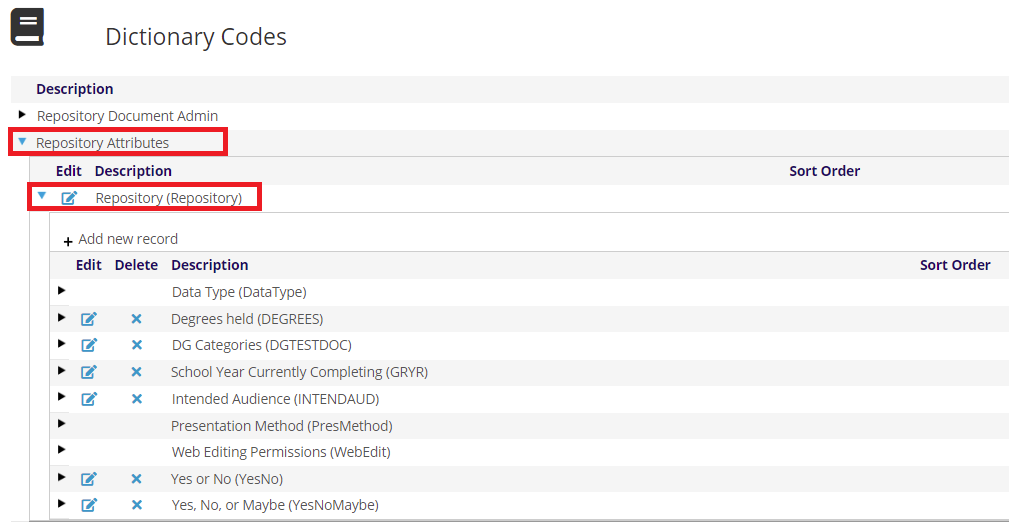
Then expand the Repository GroupType. The page will reload with a grid of the dictionaries that you have available already for your use, or you can add new ones.
For example, if you want to create a table of values that allow the reviewer to numerically evaluate a submission document on a scale from 1 to 5, you can create a GroupCode and MasterCodes for that purpose.
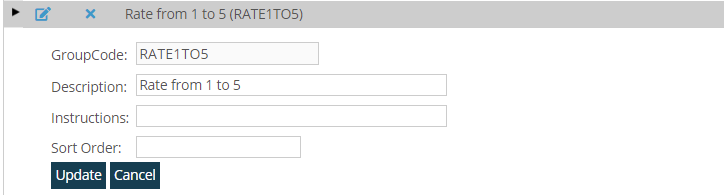
A list of those possible answers might look like this.
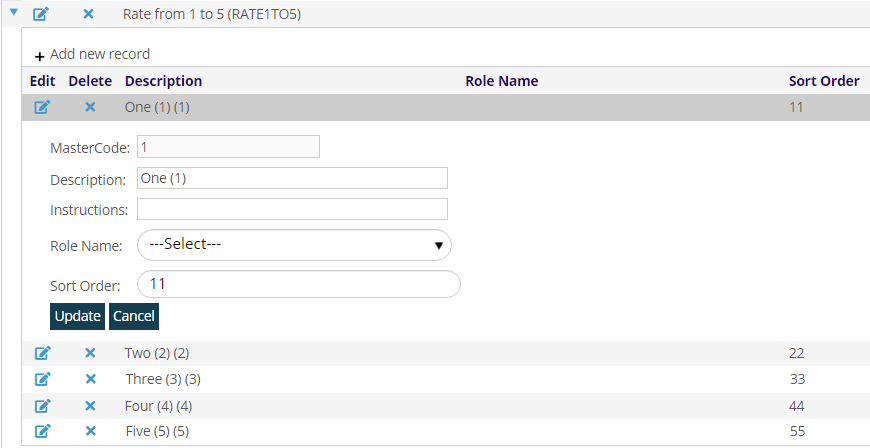
Note that the Reviewer Section has the capability to compile grading/scoring questions into a single evaluation score number, as long as the dictionary MasterCodes that correspond to the answers selected by reviewers are digital numbers.
The Descriptions for each MasterCode also show up for the reviewer in the web form, seen later in this section, and allow more flexibility. They can restate the rating number, as seen in the most recent example, or they can include more descriptive language to clarify and standardize how the numbers are applied, which can provide much needed consistency when multiple reviewers are assigned. In the next screen shot, for example, the Descriptions are more than just the numbers. They also indicate the conclusion for each number when selected.
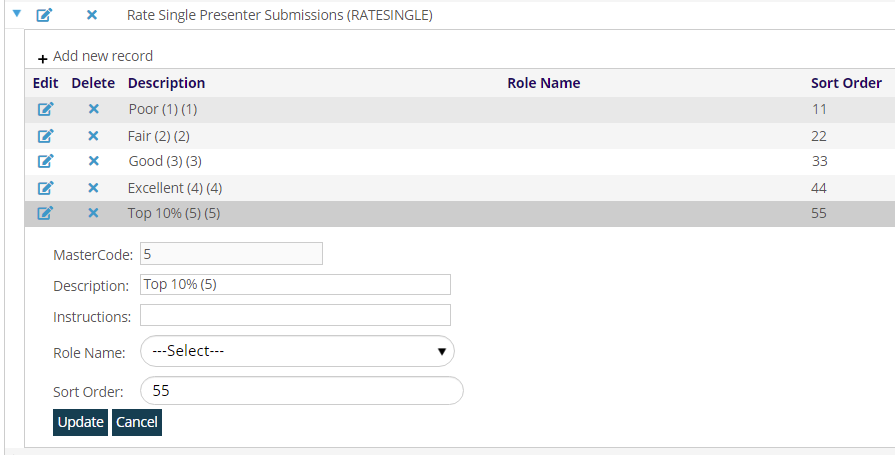
These GroupCodes can be used across multiple review documents. Note that when you edit and or add to the corresponding MasterCodes, those changes will be applied across all of those documents where they are in use. In the example above, a new GroupCode was created also using digital MasterCodes that have more analytical descriptions, and the previous example was preserved with numbers only as descriptions. Now either could be used depending on the needs you have for particular review questions so they can be tailored to the needs of each submission process.