
The Invoice Payment Methods is where you control which payment methods are accepted by your organization's Accounting Company(ies). Each accounting company can have their own payment methods, and if you want to add or remove one, you will need update each Accounting Company where used.
These are in the Money Dictionary, under Invoice Payment Methods (PayMethod). 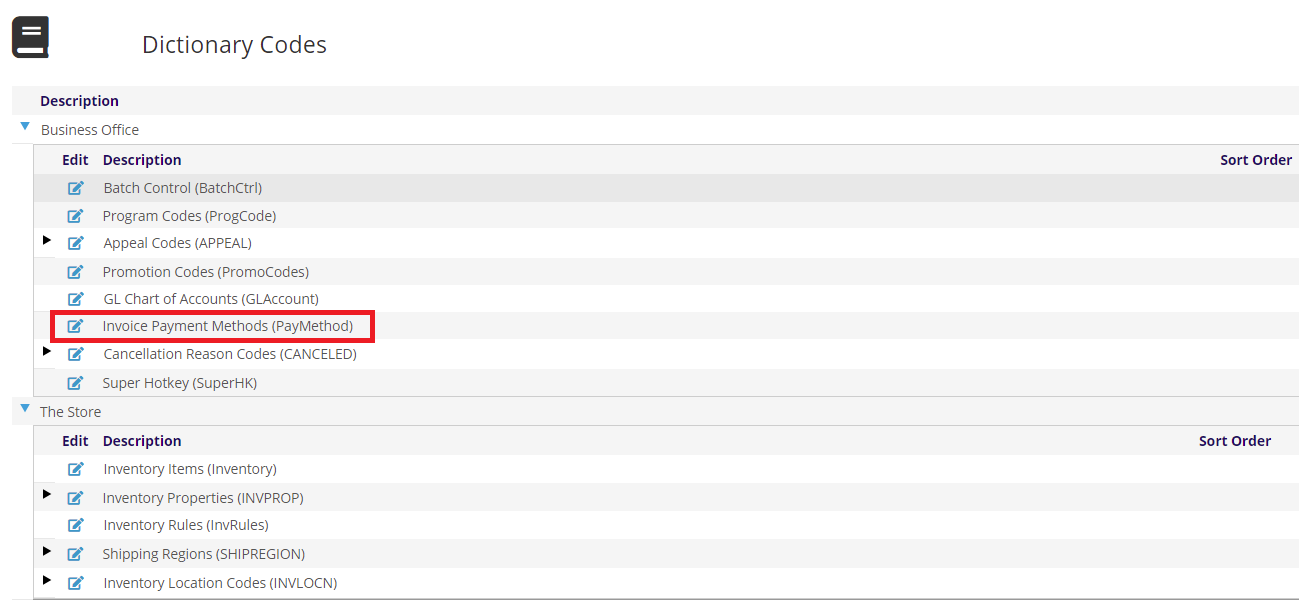
Here you will see the payment methods setup for your accounting company.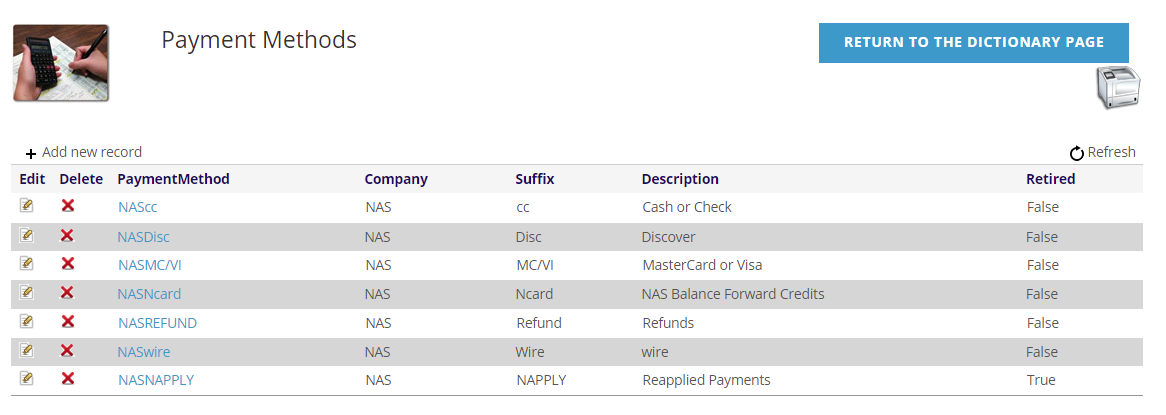
The PaymentMethod is made up of the Accounting Company abbreviation and the Suffix you define. You can use the +Add new record to add a new entry, or the edit  icon to edit an existing row. The red
 icon will delete a row, but it if a PaymentMethod has been used, you should retire it and not delete it.
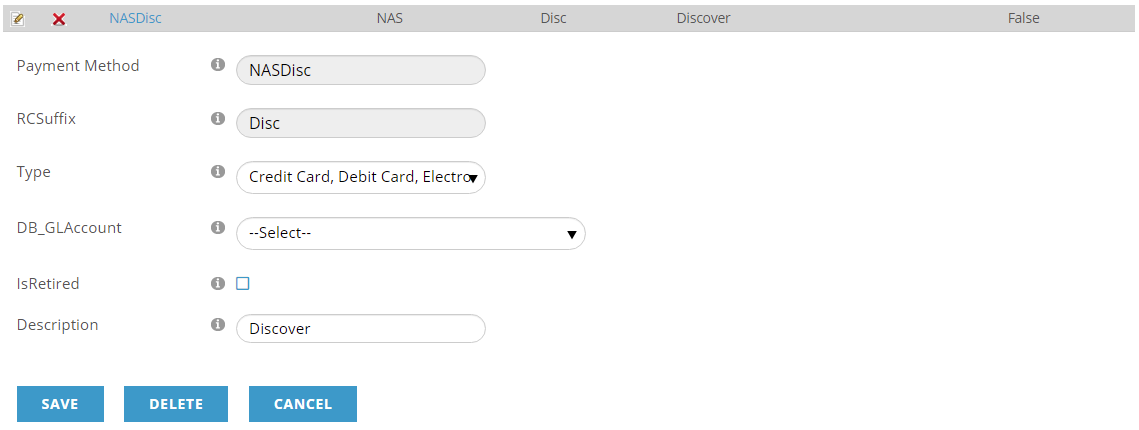
The Type will be either
- Cash, Check, Wire Transfer- those payments processed internally
- Credit Card, Debit Card, Electronic Check- those payments processed thru your Payment Gateway and also available in the Web Shopping Cart.
The DB_GLAccount is the account these payments will be against.
The IsRetired check box denotes if this is an active option and it is better to retire payment methods you no longer accept than delete them from the system.
Finally, the Description is what will appear in drop-downs when a payment method is selected and in reports.
For Type 2 transactions (Credit Card, Debit Card, Electronic Check), the Suffix and Description must be consistent across clients, and thus should use the following:
| Suffix | Description |
| AMEX | American Express |
| DISCOVER | Discover |
| MC | MasterCard |
| VISA | Visa |
| ECHECK | Electronic Funds Transfer |
The NAPPLY suffix is reserved for Reapplied Payments and must be setup for each accounting company.
The NCARD suffix is reserved for Balance Forward Credits and must be setup for each accounting company here and set on the System Settings of each Accounting Company; the description is up to you.
The  printer icon opens the Invoice Payment Methods Reports page where you can print reports on your invoice payment methods.
NOTE: when payment methods are displayed in drop down menu, they are typically shown in alphabetical order, since no sort order is defined. When entering a payment they are sorted by the Type above, then by the Description above.