
The Lists control is used to manually create or update list codes. List codes are used to track smaller bits of data than folders, but are similar in that they define a type of data and optionally, a date range that they are in effect. Once you select Lists for a contact, the types and number of list codes of each type already attached to the selected contact are displayed.
To view data already compiled, click on the type of list code you wish to see, as in the next screen shot which reveals the Individual Demographics items for the selected contact.
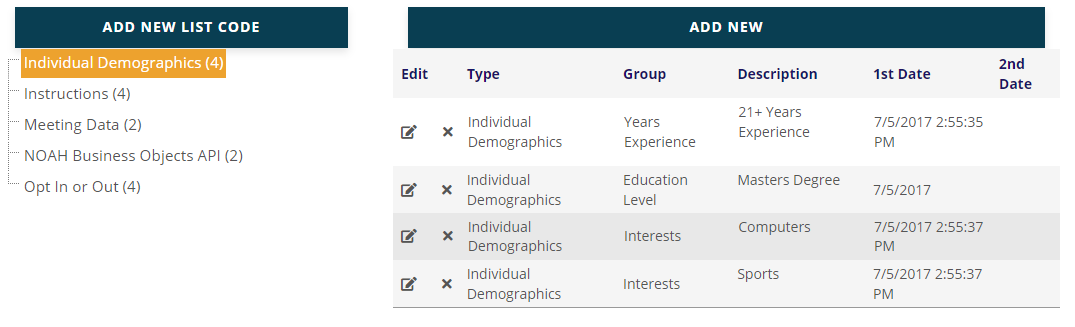
Individual Demographics and Company Demographics list codes, sometimes called Data Questions, are more easily managed by clicking on the Demographics control under the Profile drop down.
For individuals, the other most common list code used is Meeting Data. In the following screen shot, a meeting list code is displayed.
List codes that are labeled as Opt In or Out are more easily managed by clicking on the Opt In/Out Profile option. All others are specific to another purpose in the system.