
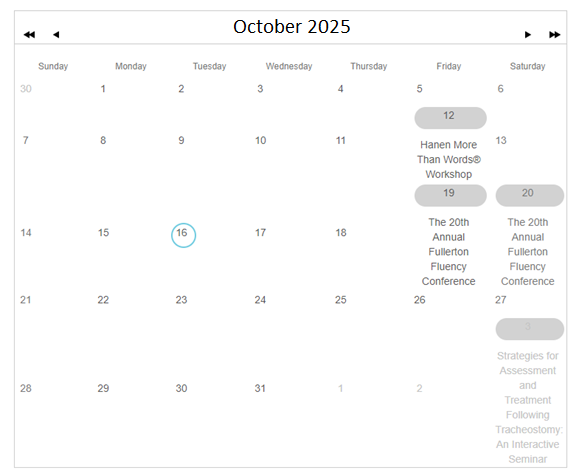
An Event Calendar is a way to promote your upcoming events. When using the NOAH Events module, selecting the control as EventCalendar will produce a interactive calendar, one month at a time with titles of what's scheduled each day. Users can mouse over for more detail and navigate to other months.
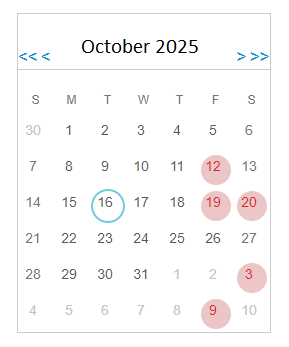
The other option is the EventCalendarCompact which is a more compact calendar.
Once you have chosen which calendar you want to use under Select Control, you can choose
- Limit By Accounting Company will only display events for the Accounting Company set by the skin, or missing that, the default accounting company for the website when checked. If not checked it will show events across all Accounting Companies. NOTE: if you have events in multiple Accounting Companies, you will want to set the Optional URL on the Event setups in the AMS to point to the correct registration page as the user will need to purchase the registration in the correct shopping cart for the related Accounting Company.
- Event Types that you want to show in your calendar. Clicking the plus next to each will allow you to select Sub Types under each.
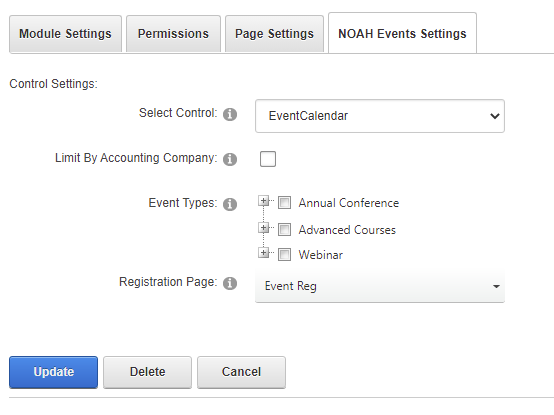
Finally, you will choose the Registration Page on your site where users will register for a selected event. This is a page with the Simple Event Registration (EventReg) version of the NOAH Events module.
The calendar can display different background colors based on the Event SubType. These are defined in the Meetings Dictionary, using the COLR= instruction on the MasterCode of the Event SubType. For example COLR=#FFC0CB would set the background color to pink.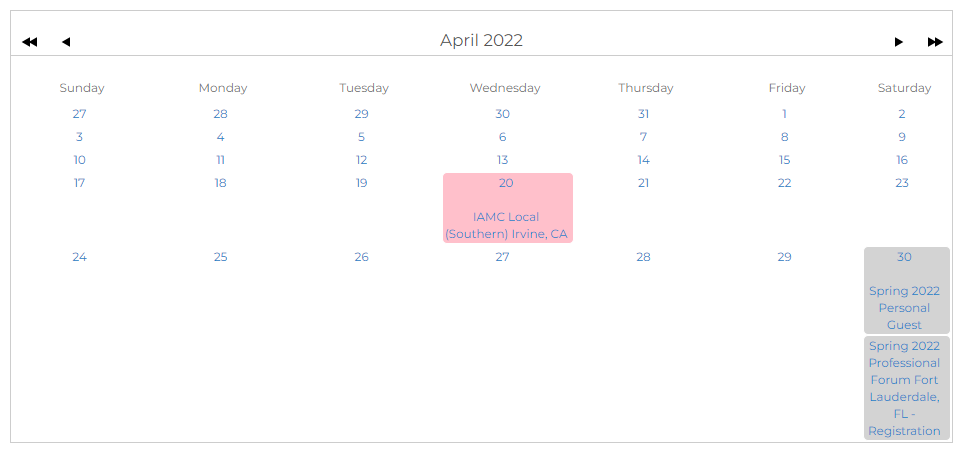
Similarly, the LCLR= instruction can be used to define the link color associated with an Event SubType.
NOTE: They styling of your site may override these color settings.