
The Simple, or NOAH Events, module is used to quickly allow contacts to find and signup for a simple events on your website with minimal options, as opposed to the Conference Module. This could be a webinar, seminar or workshop, where the contact has few options as to what they are signing up for.
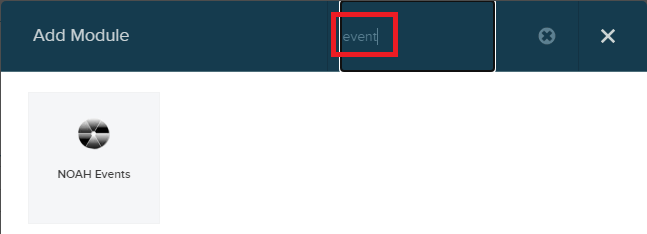
To add this module to a page on your website, click the button to Add Module, and search for events. This should help you find the NOAH Events module. Drop this module on the page where you want it.
When the NOAH Events control is added to a page, there are five options for how this control functions under NOAH Events Settings: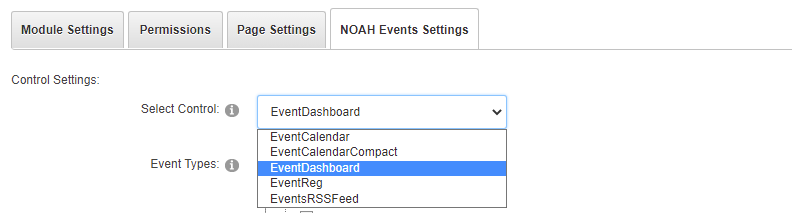
- EventCalendar- shows a calendar, one month at a time with titles of what's scheduled each day. Users can mouse over for more detail and navigate to other months.
- EventCalendarCompact- shows a compact calendar, one month at a time. Users can mouse over a day for more detail and navigate to other months.
- EventDashboard- shows a listing of events in a table. Users can click on the headings to sort, mouse over to see the synopsis, and click on an event to get more information and register.
- EventReg- when set to this, the control will perform the registration for the event passed in the URL.
- EventsRSSFeed- Shows an RSS feed of events. This can be consumed by other sites to get a feed of your events.